Every method below runs on the same input: the video's caption text. Gemini Notebook's help page says a YouTube source brings in "only the text transcript of the video," so clean captions give a usable summary and a video without captions usually gives none.
Which AI can summarize YouTube videos: a comparison
What AI can summarize YouTube videos? Gemini, Gemini Notebook and YouTube's Ask button summarize from the video itself. Grok may, but xAI doesn't document how. ChatGPT summarized accurately from a pasted transcript in our test; Claude reads a pasted transcript or an uploaded .txt, per Anthropic's help. The table follows each company's help pages.
| Tool | Takes a YouTube link? | What it reads | Requirements and limits | Official source |
|---|---|---|---|---|
| Gemini app | Yes, by search; pasting a link isn't described in the help | Public information from YouTube | Signed in, Keep Activity on | Gemini Apps Help |
| NotebookLM (now Gemini Notebook) | Yes, as a source | Only the text transcript | Public videos with captions, up to 500,000 words | Gemini Notebook Help |
| ChatGPT | Not described | Pasted text or a .txt file | Uploads: TXT up to 2 million tokens, 3 a day on Free | OpenAI Help |
| Claude | Web pages only, not video | Pasted text or a .txt file | Uploads: 20 files per chat, 500 MB each | Claude Help |
| Grok | Not documented | "Video understanding", web search, documents | Age 13+; apps and grok.com | xAI Consumer FAQ |
| Ask YouTube | Built into the watch page | Info from YouTube and the web | Signed in, 13+, select videos and countries | YouTube Help |
| Any chatbot + transcript | You paste the text | Exactly the transcript you give it | Any video with a caption track | YouTube Help |
What we tested
Signed out, we asked "Summarize this YouTube video in 5 bullet points" for a TED-Ed video with creator captions (CxC161GvMPc) and a vlog with only automatic captions (h-2W-t22d8M). ChatGPT summarized the TED-Ed link from web search, citing other sites rather than the video, and refused the vlog link: "I can't access the video's transcript/content from that YouTube link right now." With the transcript pasted in, 5 of 5 points matched the transcript for both videos. Gemini opened without an account but never answered. Grok, Claude and NotebookLM need an account, so we didn't test them.
Gemini: ask about a video in the Gemini app
The Gemini app can find a YouTube video, then summarize it or answer questions about it. Google's help says Gemini "uses public information from YouTube" to help you understand a video, and its sample prompt ends with "Summarize the first video." You must be signed in with Keep Activity on, and the feature doesn't work in Live chats.
Most people paste a link and write "Summarize this video." Google's page doesn't describe that, or what happens without captions.
Some users get a refusal instead:
"I can't actually watch YouTube videos or pull up the link directly" is the most frustrating part of these models.
If the summary names another video or things the speaker never said, paste the transcript into the same chat and ask again.
NotebookLM (now Gemini Notebook): add the video as a source
NotebookLM imports a YouTube video as a source and summarizes it on request. Google renamed it Gemini Notebook on July 16, 2026, and notebooklm.google still opens it. Select Add sources, paste the link, then ask for a summary in the chat or read the auto-generated summary in the source's Source Guide.
Its rules are the clearest of any service: public videos with captions only, creator-uploaded or automatic. Videos under 72 hours old may not import, videos without speech aren't supported, and length is unlimited until the caption file passes 500,000 words.
ChatGPT: paste the transcript instead of the link
ChatGPT's help center doesn't describe reading a YouTube video from a link. Web search works on Free and paid plans, but OpenAI warns that "Search results and citations can be incomplete, outdated, or incorrect." For a dependable summary, give it the transcript as text or a .txt file. What ChatGPT did with real links is in our ChatGPT and YouTube test.
Claude: paste the transcript or upload a .txt file
Claude by Anthropic reads a pasted transcript or an uploaded .txt file, per Anthropic's help; we didn't run it, since it needs an account. With Web search on, it can fetch "articles, blog posts, and other web pages" from a link, but its help says nothing about video. Uploads accept TXT and list no video or audio formats.
Grok: web search and file uploads
Grok from xAI may accept a YouTube link, but xAI doesn't say how it handles one. Its FAQ lists "image and video understanding," real-time web search and document uploads. xAI hasn't published supported sites or length limits.
Test the summary on a video you already know. If it is vague or about another video, upload the transcript as a .txt file instead.
Ask YouTube on the watch page
YouTube has its own AI on the watch page. Under select videos, an Ask button opens a chat for questions or suggested prompts, answered by large language models that "draw on info from YouTube and the web." YouTube adds: "Quality and accuracy may vary."
It needs a signed-in account aged 13+ in supported languages and countries and excludes supervised kid accounts.
Get the transcript first, then paste it into any AI
Paste a YouTube link and get the caption text with timestamps on or off. Copy it in one click or save it as .txt for your AI summary. Free, no sign-up.
How to summarize a YouTube video with any AI chatbot
This is how to use AI to summarize a YouTube video when a service can't open the link or you want control over the result: turn the link into text, then hand the text to a chatbot with a clear prompt.
What really helped me to go through the YouTube backlog quickly was a user-script sending closed captions to an LLM to summarize, with some custom instructions of what I want. … Now, I can read the summary of an hour-long video in 3 minutes and close it.
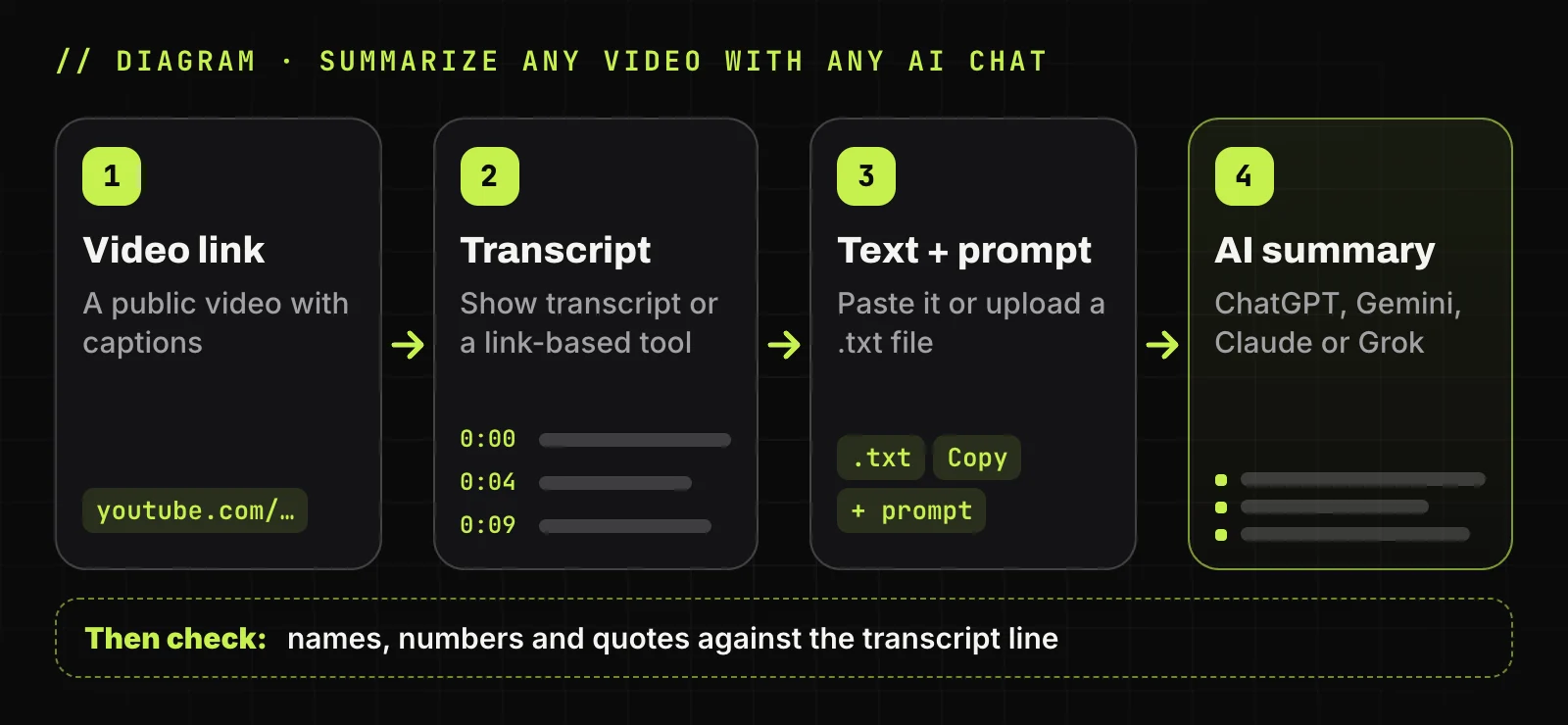
Open the video transcript
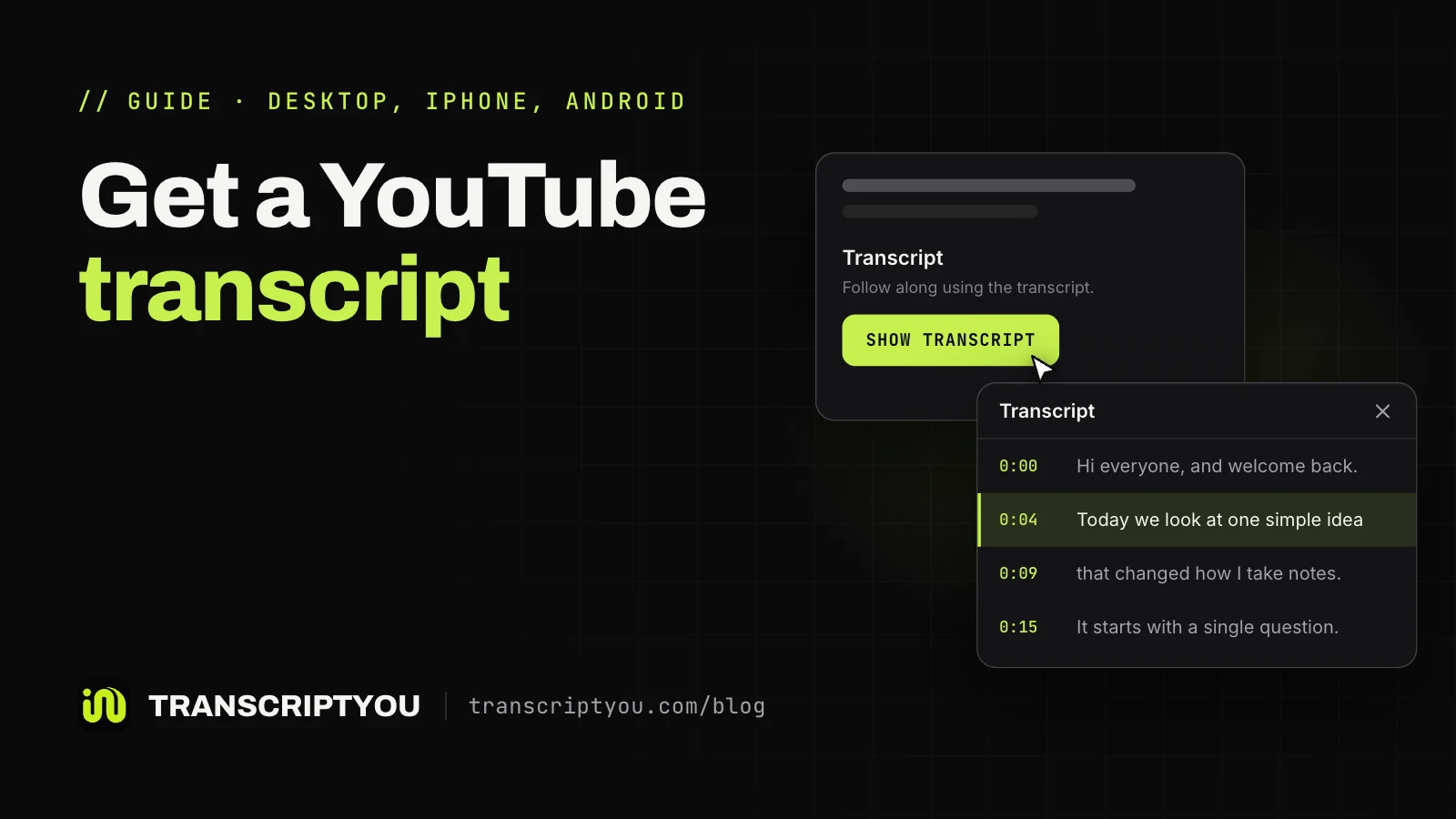
On YouTube, click Show transcript in the video description; it appears only when the video has captions. Or paste the link on TranscriptYou to get the transcript and pick a caption track from the language menu. Steps for a computer, iPhone and Android: how to get the transcript of a YouTube video. Other transcript tools, some with built-in summaries, are compared in our transcript tool roundup.
Copy the text with or without timestamps
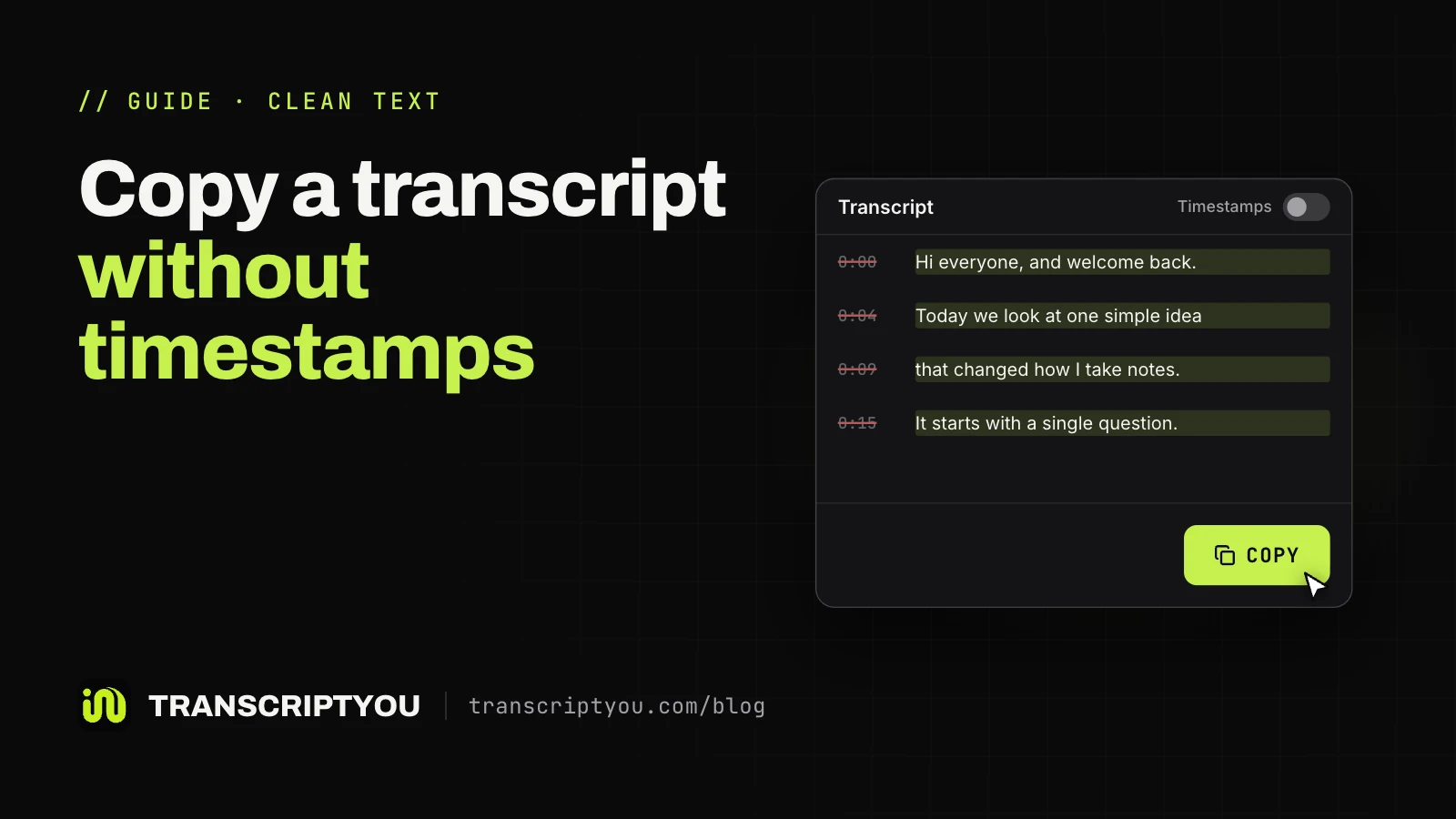
Keep timestamps if the summary should point to moments in the video; remove them for plain, shorter text. On TranscriptYou, the Timestamps switch applies to the page, Copy and the downloaded file. On YouTube itself, here is how to copy a YouTube transcript without timestamps.
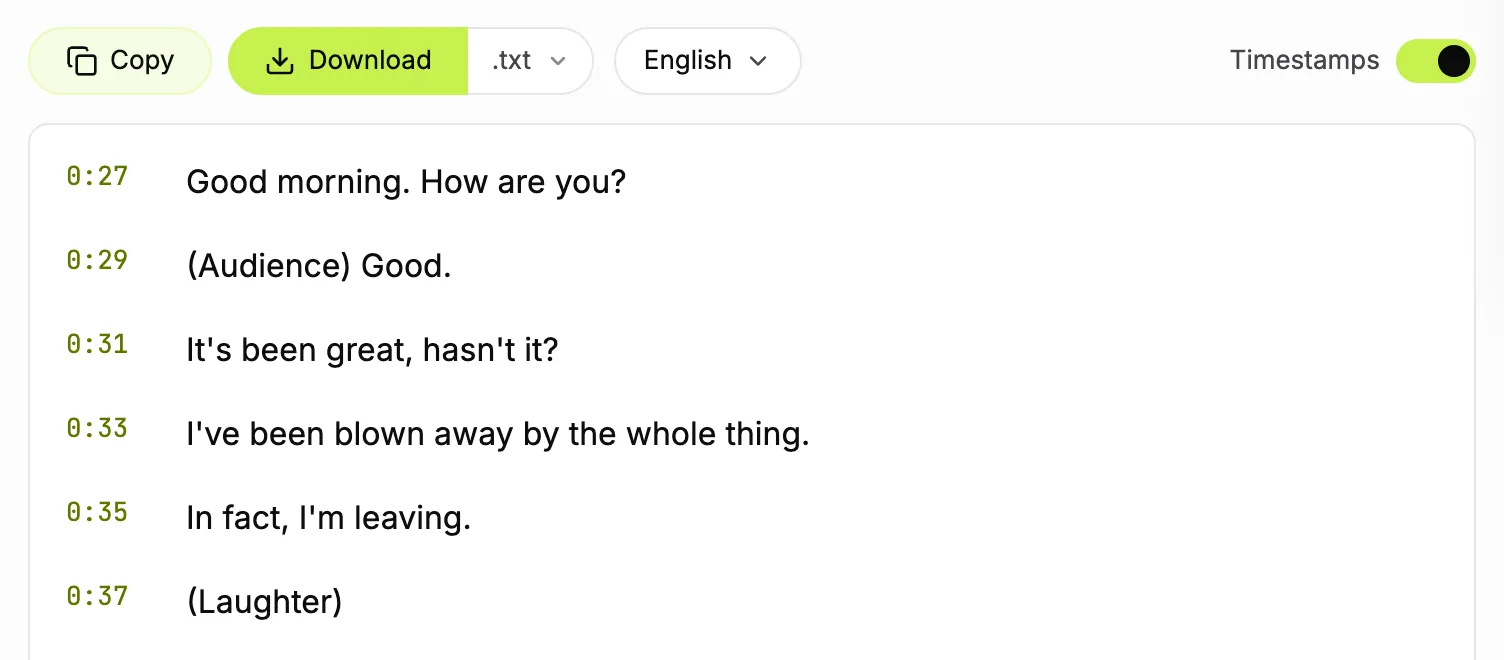
Paste it into the chat or upload a .txt file
Paste a short transcript into the message box; a long one is easier to attach as a .txt file (upload limits are in the table above). TranscriptYou saves the transcript as .txt, and a separate guide shows how to download YouTube subtitles as .srt files.
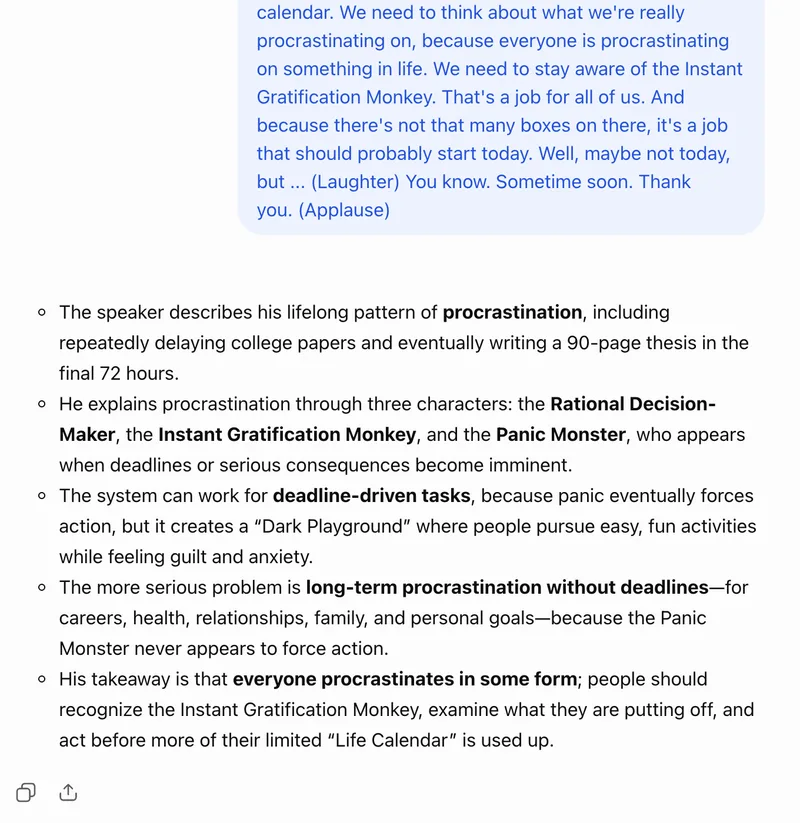
Add a prompt that sets length and format
A useful prompt names the task, the length and format, and who the summary is for; "Summarize this" gets a generic recap. A last line keeps the model on the transcript, so gaps show up as gaps, not guesses.
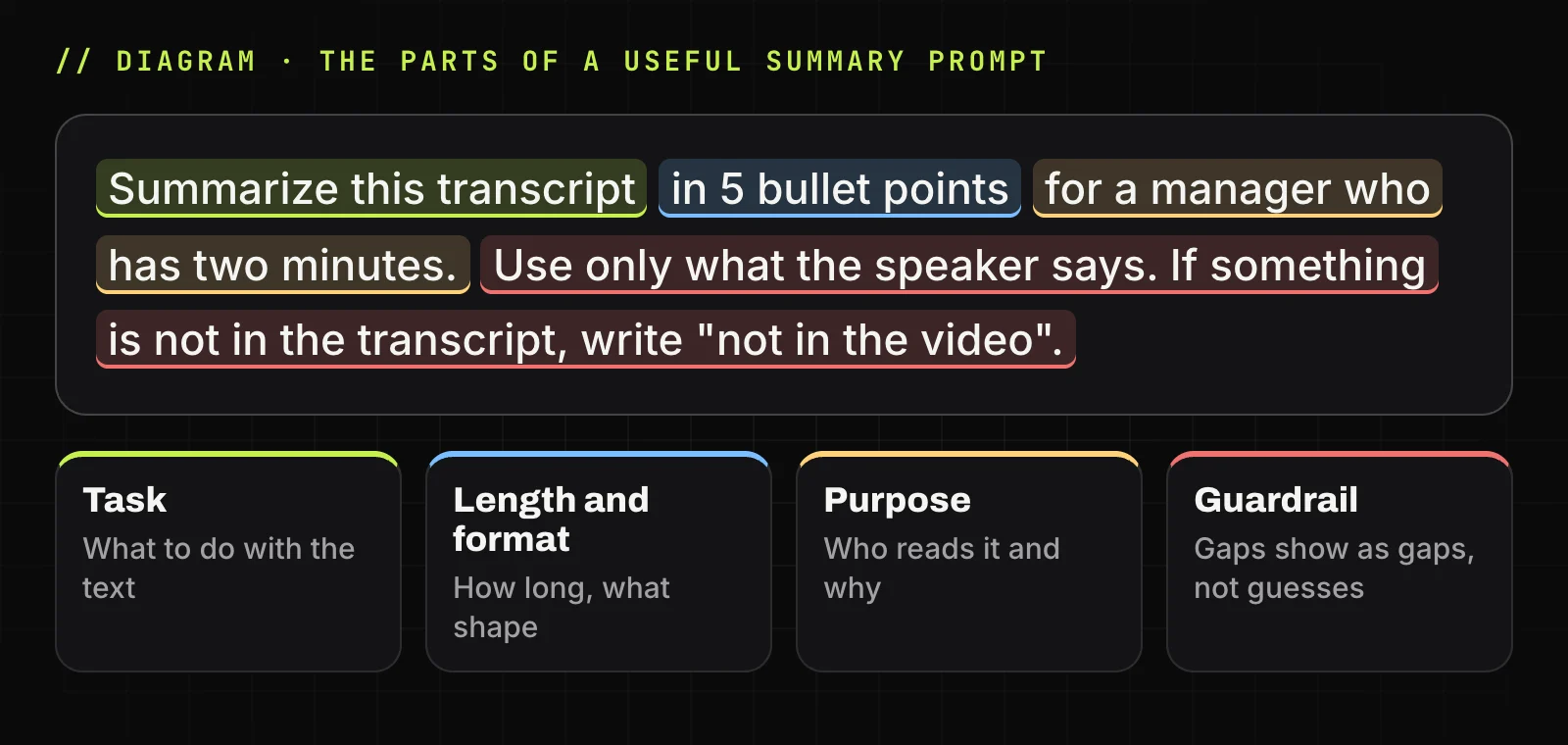
A prompt to start with
Summarize this transcript in 5 bullet points for a manager who has two minutes. Use only what the speaker says. If something is not in the transcript, write "not in the video".
Check the summary against the transcript
A summary can drop a caveat or bend a number. Check names, figures and quotes in the summary against the transcript line, and replay the moment if the captions are auto-generated, since they mishear names and terms. OpenAI and YouTube both warn that AI answers can be inaccurate.
Prompts for different kinds of summaries
Paste the transcript, then one of these prompts in the same message. They work in any chat above.
| Goal | Prompt | What you get |
|---|---|---|
| Claims and evidence | List each claim the speaker makes and the example or data given for it. Mark any claim the transcript gives no support for. |
A quick fact-check list |
| Find the part you need | Which parts of this transcript cover [topic]? Give the timestamp where each part starts. If the topic never comes up, say so. |
Moments to jump to |
| Quiz yourself | Write 5 quiz questions with short answers, using only facts stated in this transcript. |
Self-testing after a lecture |
| Steps in order | Extract every step in order as a numbered list. Keep tool names, settings and numbers exactly as said. Skip the intro and sponsor segments. |
A checklist from a how-to video |
| Recap for a colleague | Write a summary under 120 words for a colleague who missed this talk. End with what the speaker recommends doing next, if anything. |
A summary you can forward |
| Compare two videos | Compare these two videos in a table: where they agree, where they disagree, and claims only one makes. |
Best in Gemini Notebook with both videos as sources |
If you removed the timestamps, don't ask for them: the model has nothing to cite and may invent times in the summary. For that prompt, keep the Timestamps switch on before you copy the transcript.
Copy a transcript and try these prompts
Paste a link, switch timestamps on or off, then copy the text or download it as .txt. Free, no sign-up.
Long videos, missing captions and other limits
Videos without captions
No captions usually means no summary from text-based tools. Gemini Notebook supports "only public YouTube videos with captions," and TranscriptYou has no speech recognition of its own, so a video without a caption track gives no transcript there either. Google's Gemini and Ask YouTube help pages don't say how they handle such videos. If captions should be there, see YouTube transcript not showing.
Very long videos and lectures
Long videos can be summarized, within limits. Upload limits, such as 2 million tokens per file in ChatGPT, say how big a file can be, not how much text the model reads at once. That is the context window, and a long transcript can overflow it: a 14-minute talk gives about 2,300 words, so a three-hour lecture comes to about 29,000. On Claude's free plan, a long text "can consume a significant portion of your usage limit."
…I tried using the “ask a question about this video” and it could answer questions about the first 2 hours in a very long podcast but not the last third hour.
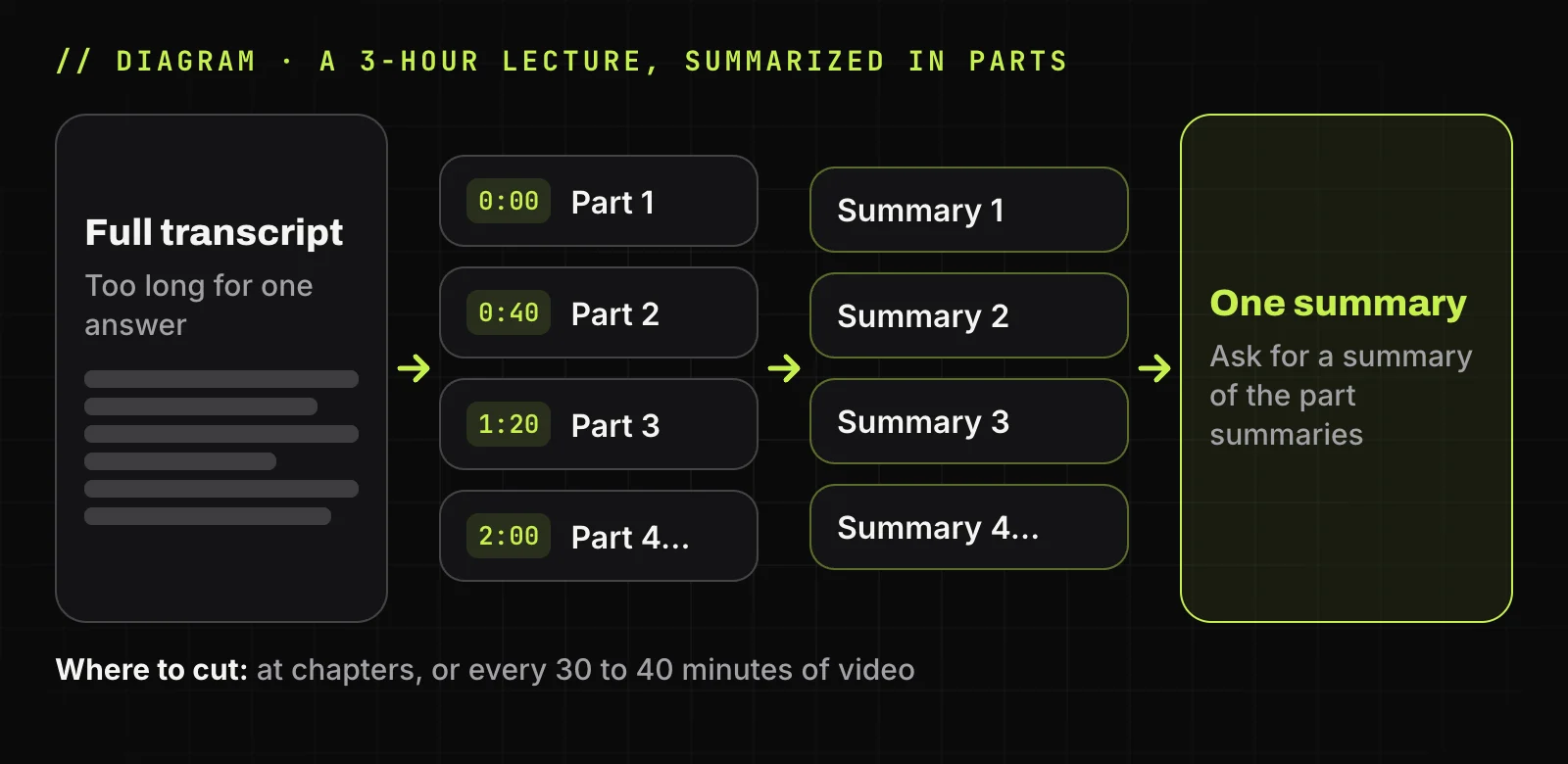
Split a long transcript at chapters or every 30 to 40 minutes, summarize each part, then ask for one summary of the parts.
New, private and restricted videos
Gemini Notebook may not import a video uploaded less than 72 hours ago, and it removes a source within 30 days if the video is deleted or made private. TranscriptYou works with public videos only, so a private video gives no transcript there either.
Region, age and plan limits
The Gemini web app runs in 70+ languages and 230+ countries and territories; the mobile app "may have different availability." Ask YouTube covers select countries and users 13+.
When to summarize by hand instead
Summarize by hand when the AI can't see what matters. A model reading a transcript gets only the words, so charts, code on screen and slides are invisible to it. Do it yourself for videos without captions, too, and when a mistake is costly, such as a quote for published work or exam material.
A manual summary is quick with a timestamped transcript: skim once, write one sentence per section with its timestamp, then add three to five key points. For videos where the picture carries the meaning, this beats any AI summary.
How to summarize YouTube videos: FAQ
Can AI summarize a YouTube video?
Yes, if the video has captions. AI tools summarize the caption text: Gemini Notebook imports "only the text transcript of the video." Gemini and Ask YouTube work from the video page; ChatGPT and Claude need the transcript pasted in.
Can Gemini summarize YouTube videos?
Google's help says it can, if you are signed in with Keep Activity on. Signed out, in our test, Gemini opened but never answered. If a link gives a vague summary, paste the transcript instead.
Can Claude summarize YouTube videos?
From the transcript: paste it or upload it as a .txt file, up to 20 files per chat. Anthropic's help pages don't describe Claude reading video; web fetch covers web pages.
Can AI summarize long YouTube videos?
Yes, within limits. Gemini Notebook imports captions up to 500,000 words, but in a chat the limit is the model's context window, not the file size, and a three-hour lecture is about 29,000 words. Summarize long transcripts in parts, then combine them.
Can Grok AI summarize YouTube videos?
Possibly, but xAI doesn't document it. Its FAQ lists video understanding, web search and document uploads, without mentioning YouTube links. If a link gives an odd summary, upload the transcript as a .txt file.
Does YouTube have a built-in video summary?
On some videos. Ask YouTube on the watch page answers questions about the video, for signed-in users 13+ in supported languages and countries. YouTube notes that quality and accuracy may vary.
Can TranscriptYou summarize a YouTube video?
A built-in summary is in development. For now, switch Timestamps off, press Copy and paste the text into ChatGPT, Gemini or Claude with a prompt.
Can I summarize YouTube videos for free?
Yes. The Gemini app, Gemini Notebook (50 sources on Free), ChatGPT Free and Claude Free all summarize at no cost, with limits: 3 file uploads a day on ChatGPT Free, and Claude's free limits reset every five hours.
Get the transcript of a YouTube video
If the video has captions, paste its link and get the full text with timestamps. Copy it or save it as .txt or .srt. Free, no sign-up.
Sources
- Gemini Apps Help: Find & ask about YouTube content in Gemini Apps
- Gemini Apps Help: Where you can use the Gemini web app
- Gemini Notebook Help: Add or discover new sources for your notebook
- Google Blog: NotebookLM is now Gemini Notebook (July 16, 2026)
- OpenAI Help: ChatGPT search
- OpenAI Help: What types of files are supported?
- Claude Help: Using web search
- Claude Help: Upload files to Claude (updated July 23, 2026)
- xAI: Consumer FAQs (Grok)
- YouTube Help: Ask YouTube on the watch page
- YouTube Help: View a video's transcript