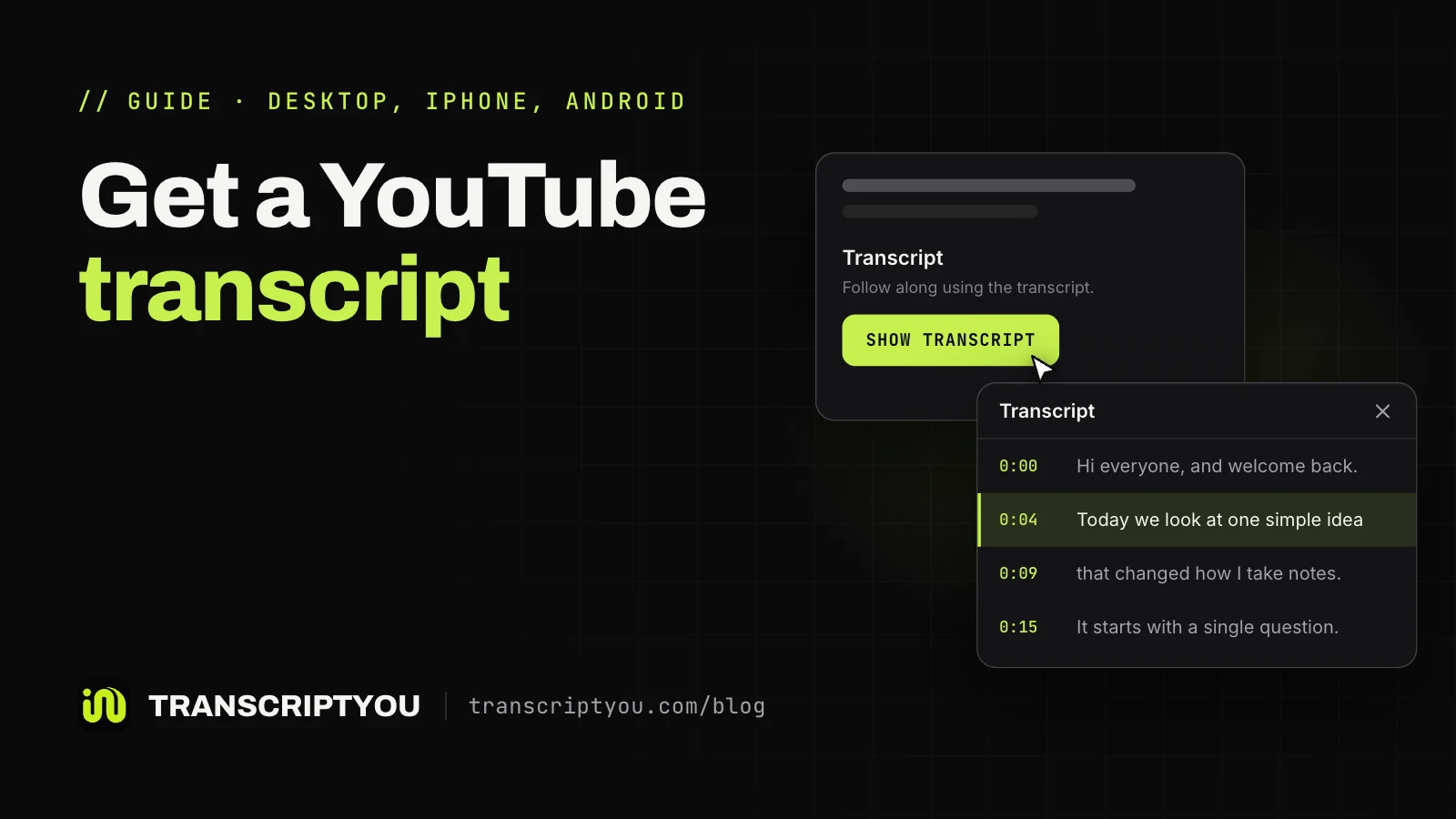
YouTube takes this text from the video's caption track and splits it into short lines, each starting with a time like 0:12 or 1:02:15. The numbers help when you quote a lecture; in a document or an AI chat they break up sentences. The table below shows when to keep them.
How to copy transcript from YouTube on a computer
Only the desktop site lets you select the text on YouTube itself. Here is how to copy a transcript from YouTube in Chrome, Edge, Firefox or Safari, with no add-ons.
Open the transcript under the video description
Click ...more under the video title, scroll to the end of the description and click Show transcript. The panel opens to the right of the player. If the button is missing, see where it is on each device.
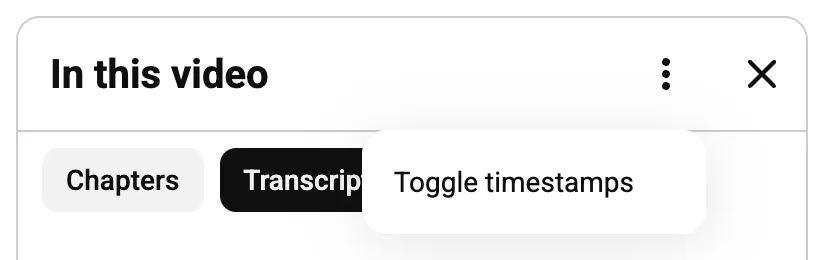
Turn off timestamps in the transcript menu
Look at the top right corner of the panel. If it has a three-dot menu ⋮, choose Toggle timestamps: the column of numbers disappears and only the spoken lines stay. If it has only a Search transcript field and a close button, this panel can't hide them: copy the lines as they are and strip the numbers afterwards, or copy from TranscriptYou with time codes off.
What we tested
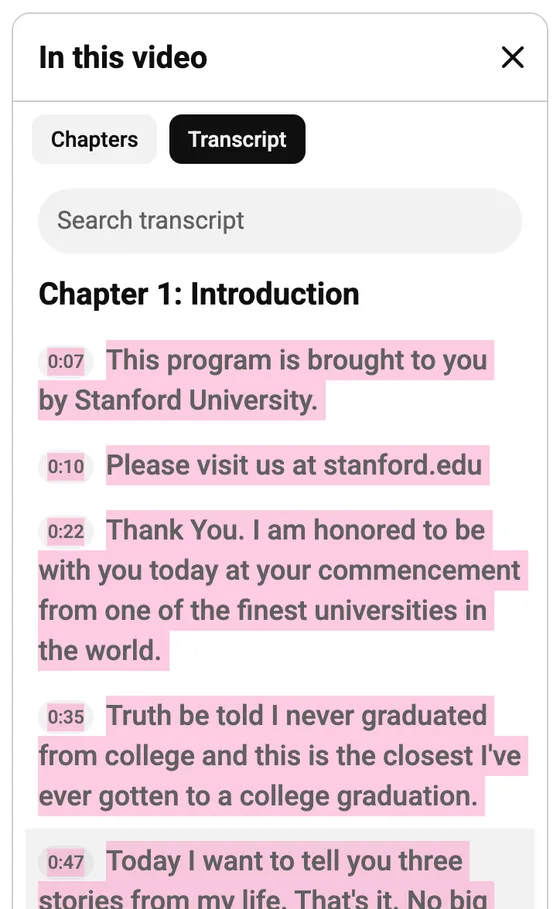
Chrome on a computer, signed out. TED talk iG9CE55wbtY, with creator subtitles: the panel had the ⋮ menu with the time code switch. Stanford speech UF8uR6Z6KLc: the new panel had only Search transcript and a close button, so the time codes stayed.
Unfortunately, Google removed the feature to toggle timestamps on or off, which used to be hidden behind a three dot menu in at the top of the transcript viewer.
Select the whole transcript
Click just before the first word, hold the mouse button and drag below the bottom edge of the panel. It scrolls by itself while you hold, so keep going until the last line. Skip Ctrl+A: in our test on the new panel, it selected the whole page, from the video title to the comments and suggested videos.
Copy and paste the text
Press Ctrl+C on Windows or Cmd+C on a Mac, or right-click and choose Copy. Then paste with Ctrl+V or Cmd+V into Google Docs, Microsoft Word or a notes app.
Why timestamps can still end up in the copied text
The toggle changes what the panel shows, and the clipboard does not always follow: BibiGPT's August 2026 guide found that YouTube "sometimes drags the time codes along anyway". Three more things make pasted text messier than it looked on screen:
- No toggle in your panel. On the redesigned panel there is no way to hide the numbers first. In our test, every copied line came with its time, a hidden screen-reader label and the words glued together:
0:077 secondsThis program is… - One caption per line. Each line is a caption cue of a few words, often broken mid-sentence.
- Missing punctuation. Automatic captions come from speech recognition, and YouTube says their quality "may vary" with accents, dialects and background noise. Many lines have no capitals or full stops.
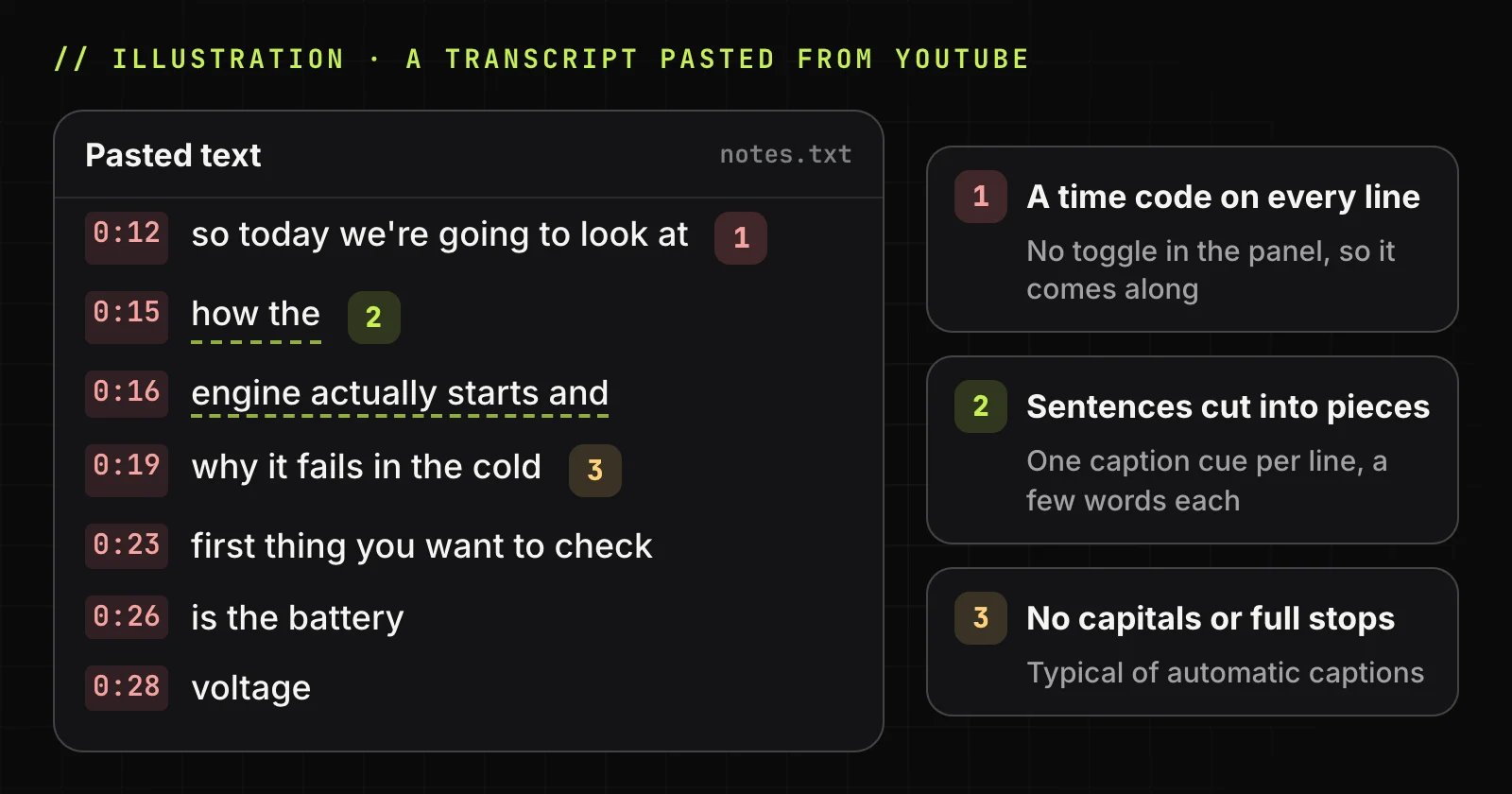
Line breaks and punctuation come from the caption track, so every method gives the same words. To skip manual selection, copy text without timestamps in one click: the Timestamps switch removes them on the page, in Copy and in the .txt download at once.
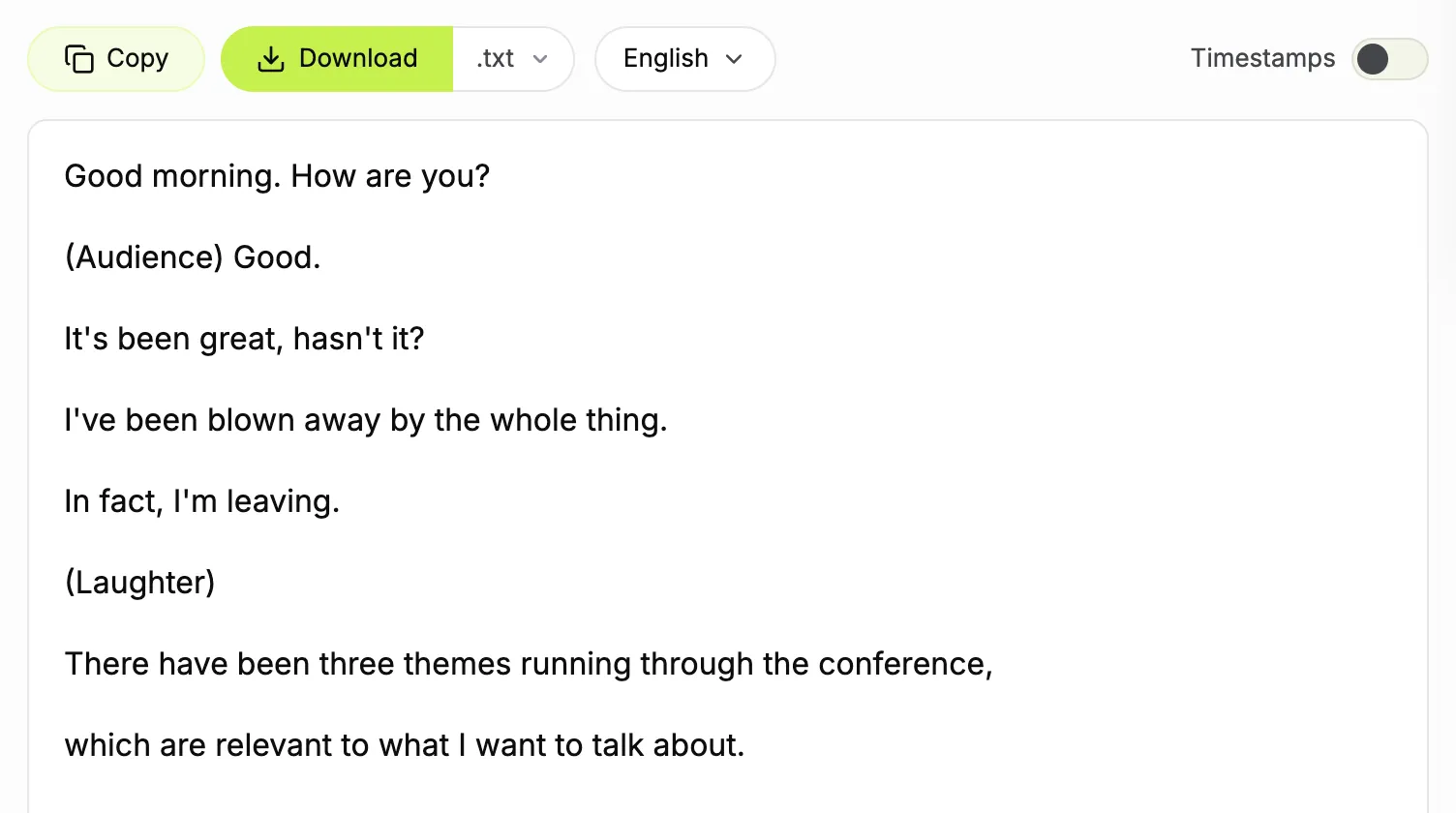
Copy the transcript without timestamps in one click
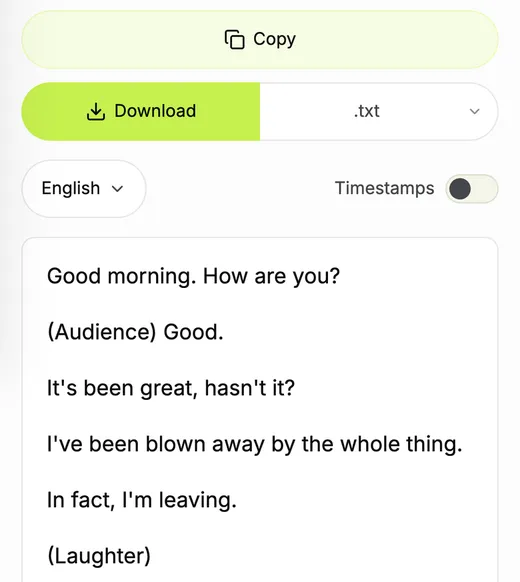
Paste the video link, turn Timestamps off and press Copy. The whole text goes to your clipboard, one caption line per row. No sign-up, no extension.
How to copy a YouTube transcript on mobile
On a phone, you can't copy inside the YouTube app. Pick a workaround by whether you need a sentence or the full text. Opening the panel on a phone is covered in our guide to finding it.
In the YouTube app on iPhone and Android
The app shows the text (tap ...more, then the button at the end), but Lynote's June 2026 guide reports that the lines can't be selected: a long press does nothing and there is no select-all. It is fine for reading along or jumping to a moment, not for copying.
Desktop site in a mobile browser
Open the video in Safari or Chrome instead of the app. In Safari on iPhone, tap AA in the address bar and choose Request Desktop Website; in Chrome on Android, tap ⋮ and check Desktop site. Then follow the computer steps. The mobile site itself (m.youtube.com, not the app) showed no Transcript section in our 390 px Chrome emulation. The panel is tiny, so this suits short videos.
Screenshot and copy with Live Text or Google Lens
For one quote, screenshot the open panel. On an iPhone with iOS 15 or later, open it in Photos, touch and hold a word, drag the grab points and tap Copy or Select All (Apple calls this Live Text). On Android, open the screenshot in Google Photos, tap Lens and select the words. Both read only what fits on the screen.
Paste the link into a transcript tool
In the YouTube app, tap Share, then Copy link. Open TranscriptYou in your browser and paste the link. Before you copy, check that the language menu shows the track you want: on a video with many creator tracks, another language can open first. Then switch Timestamps off and tap Copy. On a phone, Copy and Download are repeated under the text window, so there is no scrolling back up. Other services: our roundup of generators.
How to remove timestamps from a transcript you already copied
Text already in your document can be cleaned where it is:
Find and replace in Google Docs
Open Edit, then Find and replace, and check Match using regular expressions. Paste ^\[?\d+:\d{2}(:\d{2})?\]?(\d+ hours?(, )?)?(\d+ minutes?(, )?)?(\d+ seconds?)? ? into Find, leave Replace with empty and click Replace all. It removes the time and the hidden label the new panel glues to it (0:077 seconds, 1:011 minute, 1 second), and our [1:05]. Only the start of a line is touched, so a spoken "5:30 pm" stays.
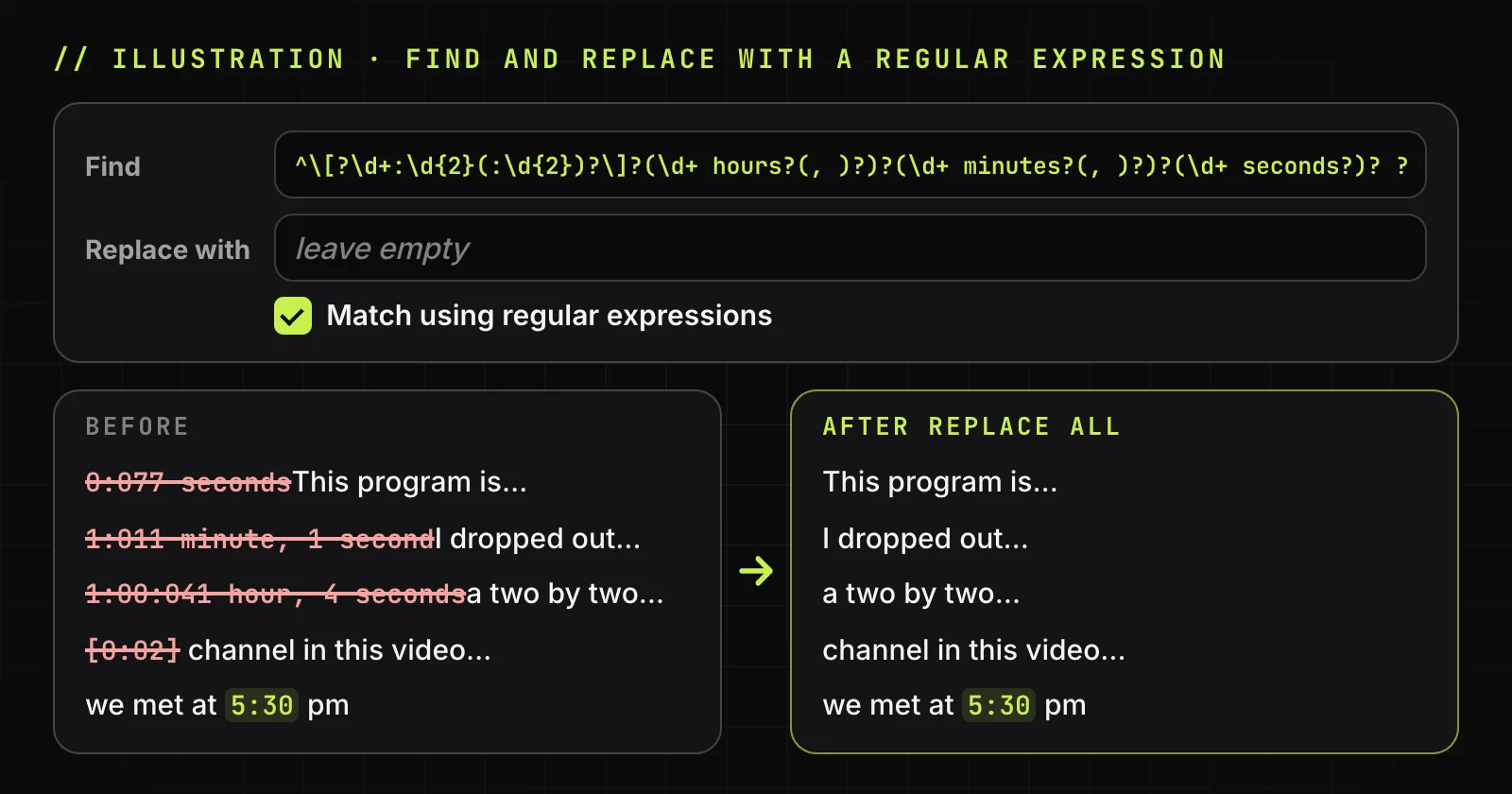
We tested it on 1,340 lines copied from the panel of two videos, past the one-hour mark, and on our .txt: no time or label was left, no spoken word was cut. Chapter titles have no time and stay. Google Docs runs it in Find with regular expressions (RE2 syntax); per Google's help page, Replace with is taken literally.
Ask an AI chat to strip the time codes
Paste the text into ChatGPT, Claude or Gemini and ask: "Remove the time codes, keep every word unchanged." Models tend to tidy and shorten as they go, so compare the length of the answer with the original.
Delete the time lines from an SRT file
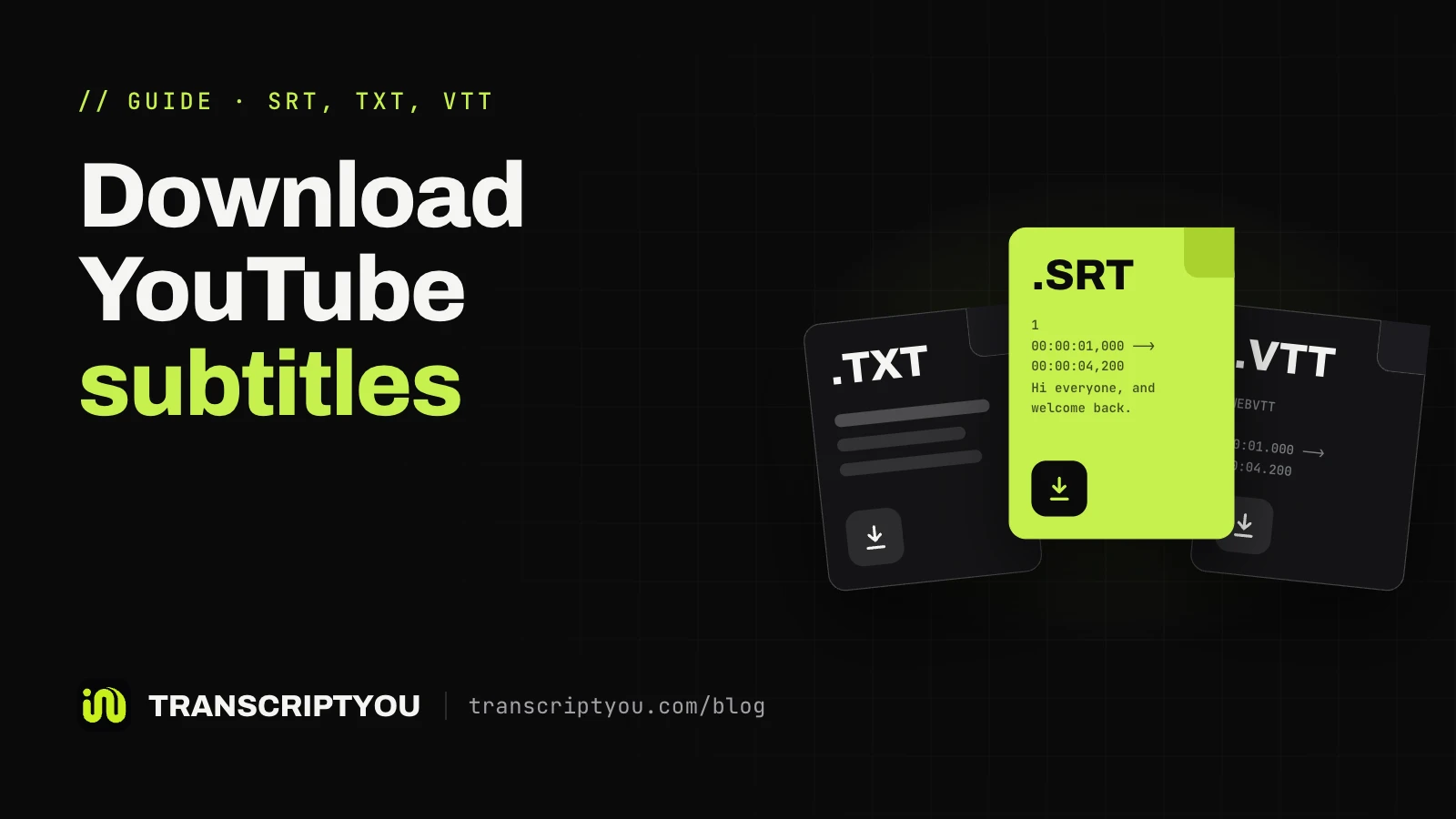
A SubRip (.srt) subtitle file repeats one block per caption: a number, a timing line such as 00:01:02,150 --> 00:01:04,900, then the words. Delete the number lines and every line containing -->. More on SRT and TXT downloads.
Skip the cleanup and copy clean text
Time codes that never reach the clipboard need no cleanup. Paste a YouTube link and copy only the spoken words.
Copy with or without timestamps: which one you need
Text with timestamps is better when it has to point back to the video; without them it reads better and suits AI tools. On this site, a copied line with times on starts like [1:05], and minutes keep counting past an hour ([62:15]).
| Task | Time codes | Why |
|---|---|---|
| Reading, notes, study | Off | Running text reads faster and is easier to search with Ctrl+F. |
| Pasting into an AI chat for a summary | Off | The model sees only the words. |
| Quoting a lecture or interview | On | Readers can check the quote at the exact minute. |
| Finding a moment in a long video | On | The time tells you where to jump. |
| Subtitles for a player or editor | Download .srt | Copied text has no end times; an .srt file does. |
Where to paste a YouTube transcript
A word processor keeps every short line; an AI chat cares little about layout.
Google Docs or Microsoft Word
Google Docs and Microsoft Word keep the caption line breaks, so a 30-minute talk becomes hundreds of short lines. Ask an AI chat to merge them without changing words, and check names: automatic captions often misspell them.
A notes app on your phone
A notes app takes pasted text, but for anything over a few minutes a .txt file is easier to scroll, keep and share; see the guide to TXT and SRT downloads.
ChatGPT, Claude or Gemini
ChatGPT, Claude and Gemini all read pasted text. Turn time codes off for plain summaries; keep them on if you want the answer to name a minute you can replay.
On a desktop browser, tap YouTube's "show transcript" and "hide timecodes", then copy-paste the whole transcript into Claude or chatgpt and tell it to summarize with whatever resolution you want-a couple sentences, 400 lines, whatever.
Whether a chatbot can open a YouTube link by itself is covered in can ChatGPT summarize YouTube videos; for prompts, see how to summarize a YouTube video with AI.
Get clean text for your AI chat
Paste a link, copy only the spoken words and drop them into ChatGPT, Claude or Gemini.
Other ways to get the text out of YouTube
Browser extensions that copy the transcript
Search the Chrome Web Store for "copy YouTube transcript": extensions add a copy button to the video page, often with a time code switch. They work only in a desktop browser, only on videos with captions, and need permission to read YouTube pages, so check the developer first.
Download the transcript as a TXT or SRT file
A file beats the clipboard for long videos and archives. On this site, Download saves a .txt (without time codes when the switch is off) or an .srt with timings. You can also download YouTube subtitles in any caption language the video has, or convert YouTube to SRT for a video editor.
When there is no transcript to copy
YouTube builds the panel from captions, so a video without a caption track has nothing to copy. The usual reasons:
- The video is new. Automatic captions take time to process after upload.
- The audio is hard to recognize. YouTube skips automatic captions when the sound is poor, the video opens with a long silence, or several people talk at once.
- The language is not supported by automatic captions, and the creator uploaded none.
- It is a Short. The Shorts player has no such panel; a YouTube Shorts transcript page reads the captions from the link.
- The creator removed the captions in YouTube Studio, per YouTube's "Edit or remove captions" page.
When this does not work
TranscriptYou reads the same caption tracks as YouTube and has no speech recognition of its own. No captions on the video means no text here either. More causes and fixes: why the text can be missing.
Copying YouTube transcripts: FAQ
Can you copy a transcript from YouTube?
Yes, on a computer: open the panel from the end of the description, drag-select the lines and press Ctrl+C or Cmd+C. The phone app shows the text but does not let you select it, so on mobile use the desktop site, a screenshot with Live Text or Google Lens, or a link-based tool.
How do I copy a YouTube transcript without timestamps?
If the panel has a ⋮ menu, choose Toggle timestamps before selecting. The new panel has no such item, and some copies still carry the numbers: remove them with Find and replace in Google Docs, or paste the link into TranscriptYou and copy with the time switch off.
Does TranscriptYou keep the timestamps when I copy?
Only if you want them. They are on by default, and each copied line starts with a time like [1:05]. Turn the Timestamps switch off and they disappear from the page, from Copy and from the .txt download. The .srt file always keeps its timings.
Why can't I copy the transcript in the YouTube app?
The YouTube app for iPhone and Android shows the text for reading and jumping to a moment, but a long press on a line does nothing. Open the video in a mobile browser with the desktop site on, use Live Text or Google Lens on a screenshot, or copy the text through a link-based tool.
How do I copy the entire transcript at once?
On YouTube, click before the first line and drag below the panel until it scrolls to the last line, then copy; with a long video this takes a while. On this site, the Copy button puts all of the text on your clipboard in one click, with or without time codes.
Can I download a YouTube transcript instead of copying it?
YouTube's panel has no download button, so copying is the only built-in option. TranscriptYou saves the same caption text as a .txt file, with or without time codes, or as an .srt subtitle file with timings. The subtitle download guide covers both formats.
Why does a copied YouTube transcript have no punctuation?
Most come from automatic captions, which YouTube makes with speech recognition; it says their quality may vary with accents, dialects and background noise. Such lines often lack capitals and full stops, while creator-written captions usually have them. No copy method adds punctuation the track lacks.
Get the transcript of a YouTube video
If the video has captions, paste its link and get the full text with timestamps. Copy it or save it as .txt or .srt. Free, no sign-up.
Sources
- YouTube Help: View video transcripts
- YouTube Help: Use automatic captioning
- YouTube Help: Edit or remove captions
- Google Docs Editors Help: Find and replace items using regular expressions
- Apple Support: Copy and translate text from photos on your iPhone or iPad
- Google Photos Help: Get info about your photos and surroundings (Android)
- BibiGPT: YouTube transcript with timestamps, how to show, hide and download them (Aug 2026)
- NoteLM: How to get a YouTube transcript without timestamps (Jan 2026)
- Skip the Watch: How to copy a YouTube transcript (Apr 2026)
- Lynote: How to copy a YouTube transcript on phone (Jun 2026)
- Zapier: How to get a transcript of a YouTube video