Best YouTube transcript generators at a glance
| Tool | Type | Free plan | Paid plan | Export | Translation |
|---|---|---|---|---|---|
| TranscriptYou | Caption extractor | Yes, everything is free | None: all free | Copy, .txt, .srt | In development |
| YouTube Show transcript | Built into YouTube | Yes | None | No file; copy by hand | Not covered in the help article |
| Tactiq | Web tool; text source not stated | Yes | From $12/month ($8 billed annually) for meeting notes | Copy, .txt | Not stated on its page |
| NoteGPT | Captions plus AI transcription | One transcript, then sign-in | From $9.99/month | Copy (with or without timestamps), .txt | In paid plans |
| YouTube-Transcript.io | Caption extractor | Yes, 25 a month | From $9.99/month | .txt, .srt, .vtt, .csv, .pdf | Not stated on its page |
| DownSub | Caption downloader | Yes | Premium, $5/month | TXT, SRT, VTT | Premium, 100+ languages |
| YouTubeTranscript.com | Caption reader | Yes | None on its page | None: no text in our test | Not stated on its page |
| Happy Scribe | Speech-to-text | No: 10-minute trial, sign-up to see text | From $17/month ($8.50 billed annually) | TXT, SRT, VTT, DOCX, PDF and more (paid plans) | AI translation, 80+ languages |
| Riverside | Reads captions, edits words | Yes | From $29/month ($24 billed annually) | TXT (SRT per its page) | Not stated on its page |
How we picked and checked these tools
What we checked for each tool
Sign-in, the text source (checked against the caption track), speed and the files that actually downloaded. Plans, translation and extras come from each tool's own pages.
How we tested
We ran every tool on the same three public videos, each in a clean profile of an automated Chrome browser, with no account:
- Video 1 (
CxC161GvMPc, TED-Ed, 4:58): creator captions in 27 languages, English included. - Video 2 (
h-2W-t22d8M, a home office vlog, 9:04): only YouTube's automatic English captions. - Video 3 (
EZLMF16bACQ, a cloud time-lapse, 3:41): no captions at all.
| Tool | Works without sign-in | Text on video 1 / 2 / 3 | Seconds to text (1 / 2 / 3) |
|---|---|---|---|
| TranscriptYou | Yes | Yes / yes / no: "No subtitles or transcript are available for this video." | 2.0 / 1.8 / 1.5 |
| YouTube Show transcript (desktop) | Yes | Yes / yes / no button | Under 1 after the click |
| Tactiq | Page opens; text didn't | No / no / no: the panel stayed empty for 60 s | - |
| NoteGPT | One transcript, then sign-in | Yes / sign-in / sign-in: "Sign In to get 15 free quotas per month" | 5.6 / - / - |
| YouTube-Transcript.io | Yes | Yes / yes / no: "Transcript Could Not Be Fetched" | 1.5 / 15.7 / 3.1 |
| DownSub | Yes | File / file / no: "Sorry! Subtitles not found." | 1.7 / 2.1 / 3.0 |
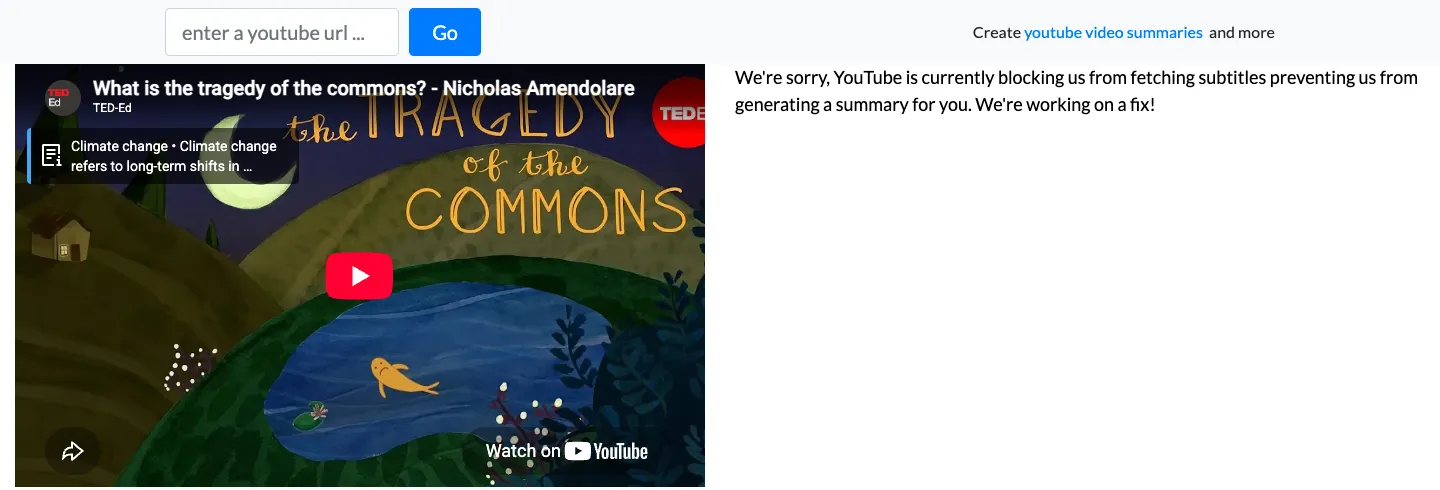
| YouTubeTranscript.com | Yes | No on all three: "YouTube is currently blocking us from fetching subtitles…" | 2.5 / 2.6 / 2.5 |
| Happy Scribe | Import yes; text needs sign-up | No on all three: "Sign up to see your transcription" | Import: 67 / 112 / 69 |
| Riverside | Yes | Yes / yes / no: "We had an error getting the transcript, feel free to try again." | 24.2 / 28.2 / 20.7 |
How the facts were verified
Prices, free limits, translation and extras come from each tool's official pages, listed under Sources; where a page is silent, the table says "not stated".
What these tools do: captions vs speech-to-text
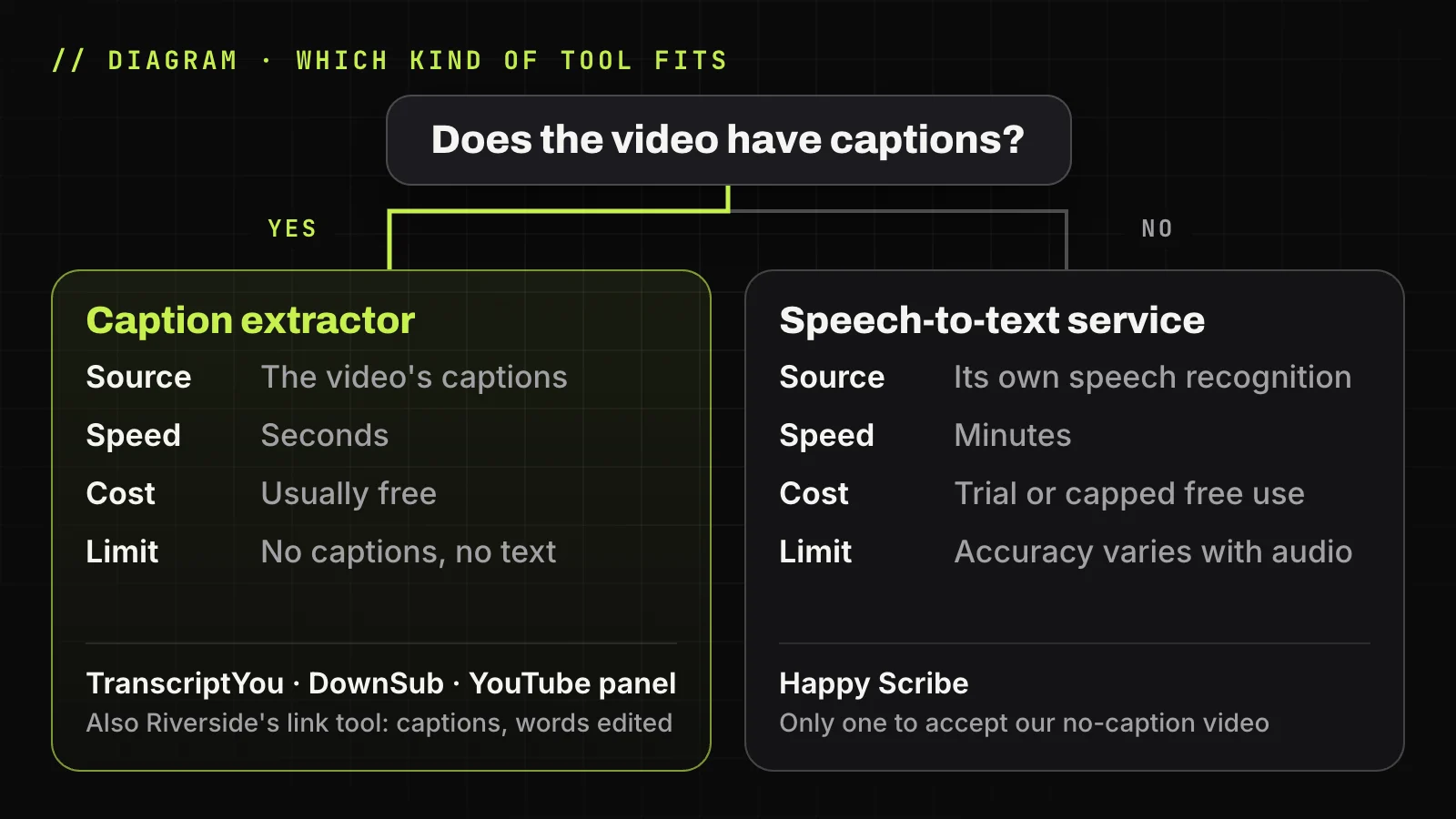
All YouTube transcript generators get their words in one of two ways, and that decides whether a tool can handle your video at all.
Caption extractors read the closed captions the video already carries: a track the creator uploaded, or one YouTube generated automatically. TranscriptYou, DownSub, YouTube-Transcript.io and YouTube's own Show transcript panel work this way, and in our test their text matched the track word for word. They are fast and usually free, but the text is only as good as the captions, and with no captions there is nothing to read.
Speech-to-text services run speech recognition on the audio themselves. Happy Scribe works this way: in our test it downloaded the media file even for the video with no captions. Riverside's page describes AI transcription, yet its YouTube link tool behaved like a caption reader: its lines kept the caption track's timings with some words edited, and the no-caption video got an error.
YouTube's automatic captions are speech recognition too, and YouTube Help says "the quality of the captions may vary". A caption extractor inherits that quality.
Video has captions? Get its text in seconds
Paste the link into TranscriptYou to copy the transcript or save it as .txt or .srt, with no account. If the video has no captions, the result is empty: pick a speech-to-text service from the list below instead.
9 YouTube transcript generators we tested
The YouTube transcript generators below start with caption extractors, then Happy Scribe, which transcribes audio, and Riverside, whose link tool read the captions in our test. Each card ends with its limitations.
TranscriptYou: free TXT and SRT from existing captions
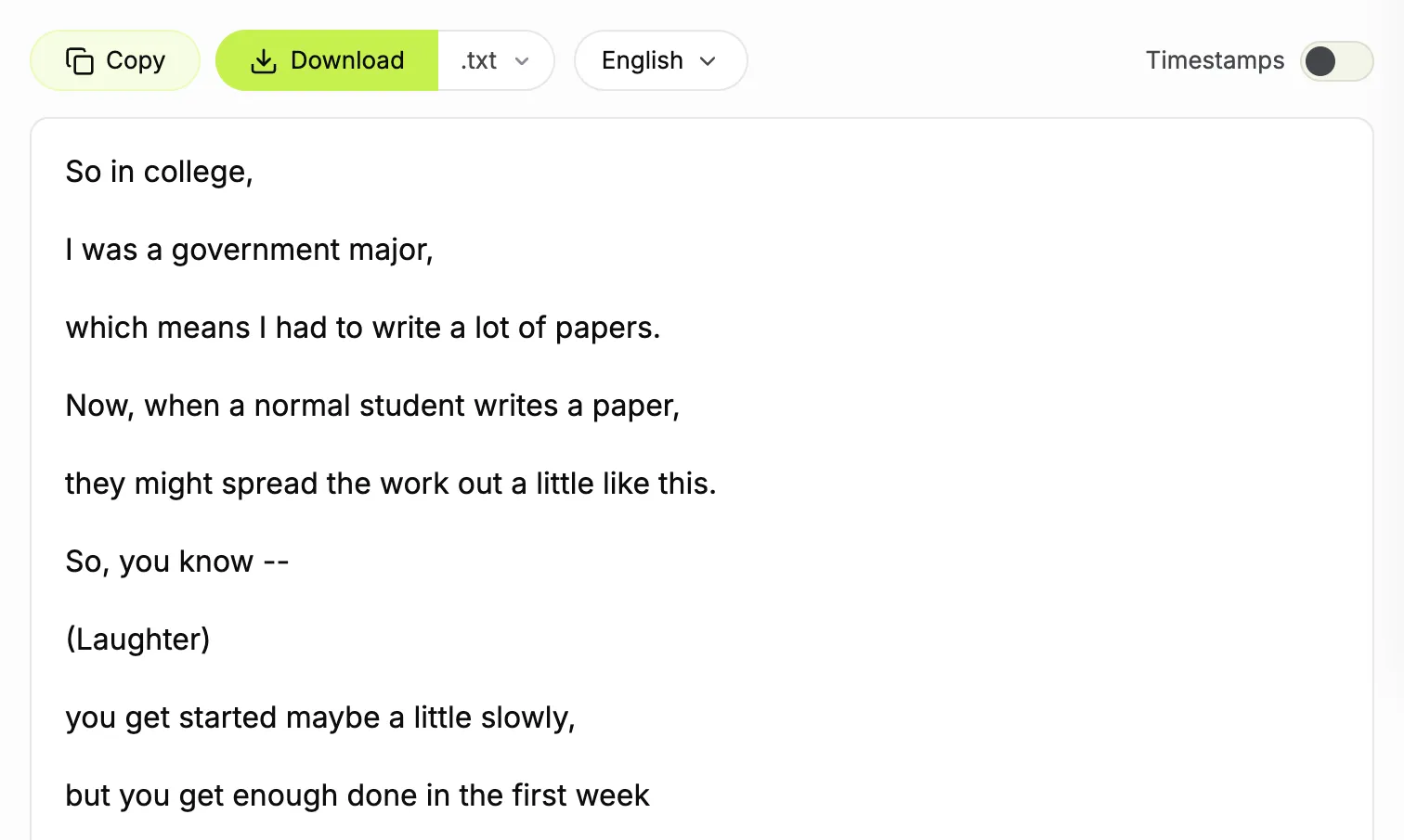
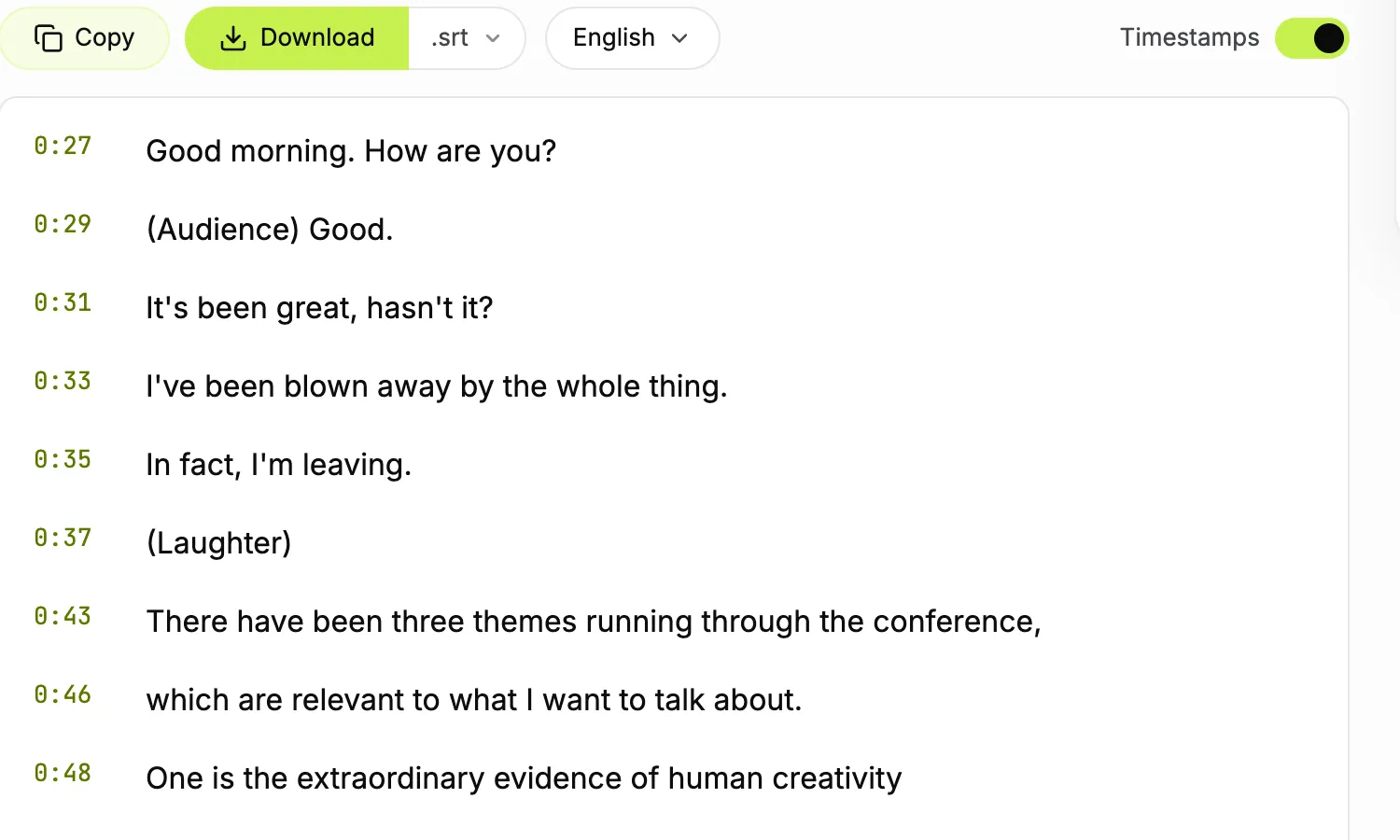
TranscriptYou is our free YouTube transcript generator. It reads the caption tracks a video already has, both creator-uploaded and YouTube's automatic ones, and shows them with a timestamp on every line. There is no account, no browser extension, and the only limit is anti-abuse rate limiting.
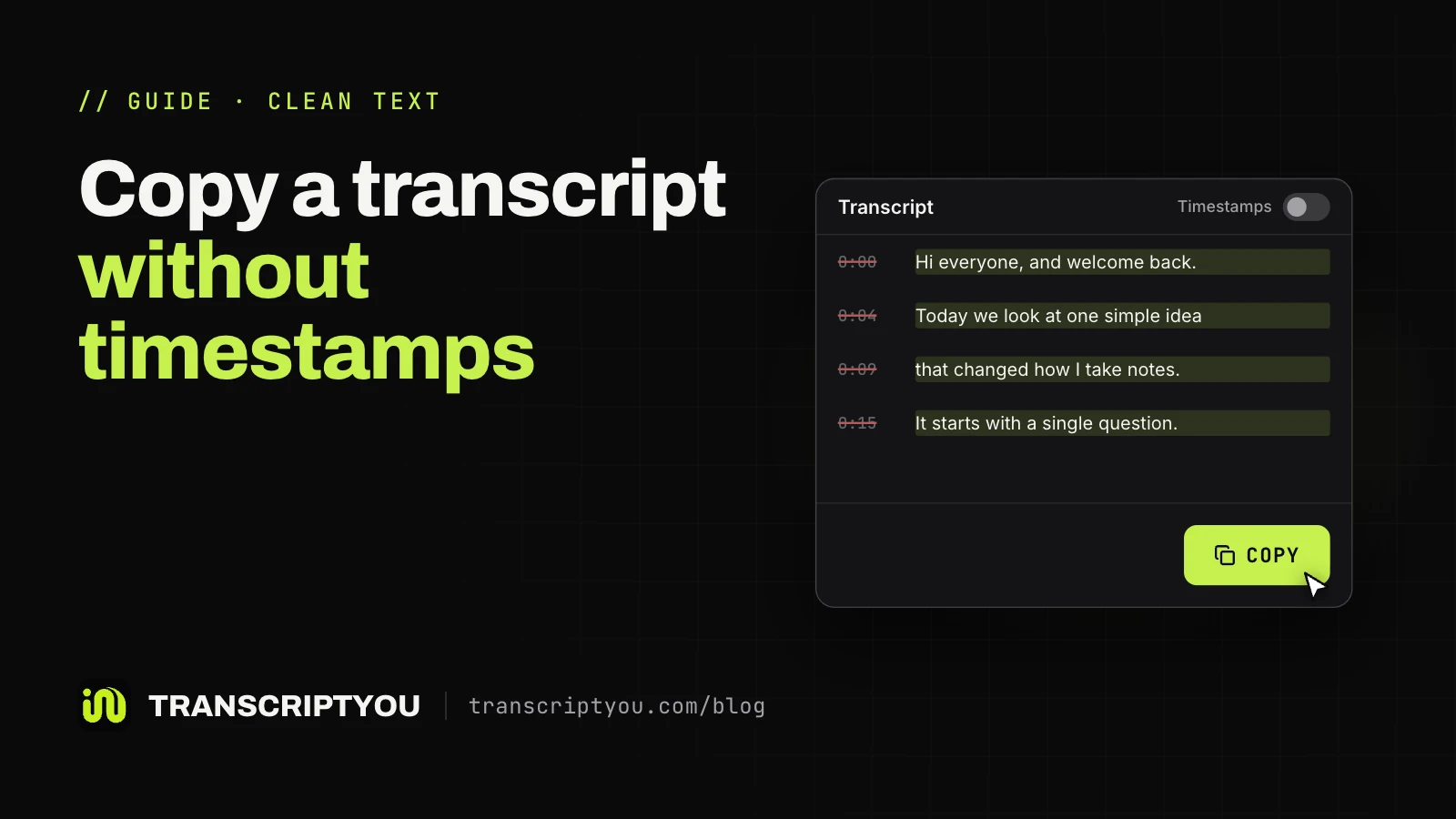
Copy puts the whole text on the clipboard, and Download saves .txt or .srt. The Timestamps switch removes time codes from the page, the copy and the .txt at once, handy to copy the text without timestamps.
Limitations: no speech recognition of its own, so a video without captions returns nothing. Translation is in development.
YouTube's built-in transcript: read and jump, no file
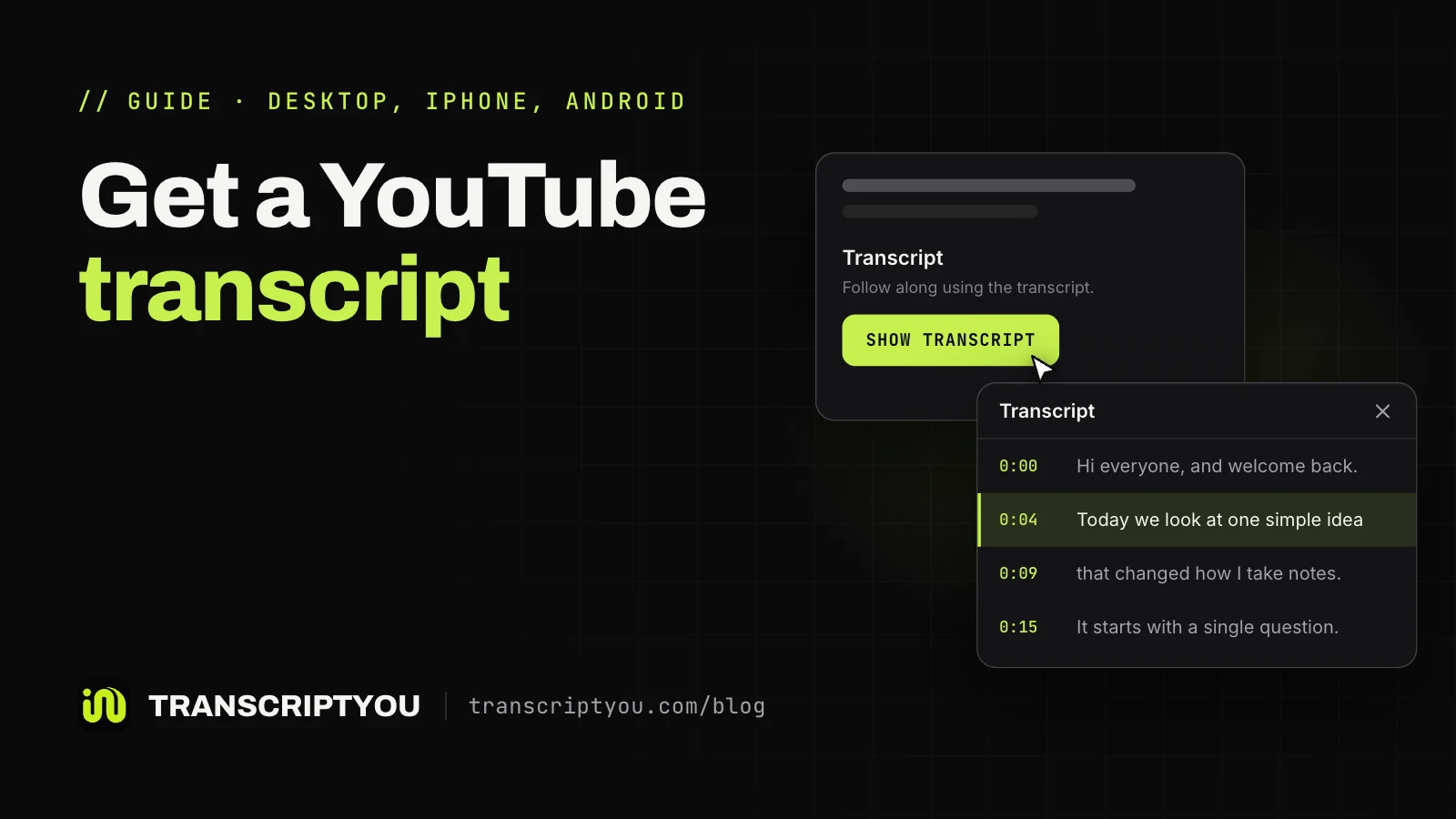
YouTube's own transcript panel is free and needs nothing extra. Click Show transcript in the video description, and clicking any line jumps to that moment. Where the button hides on a phone or a computer is covered in our guide on how to get the transcript of a YouTube video.
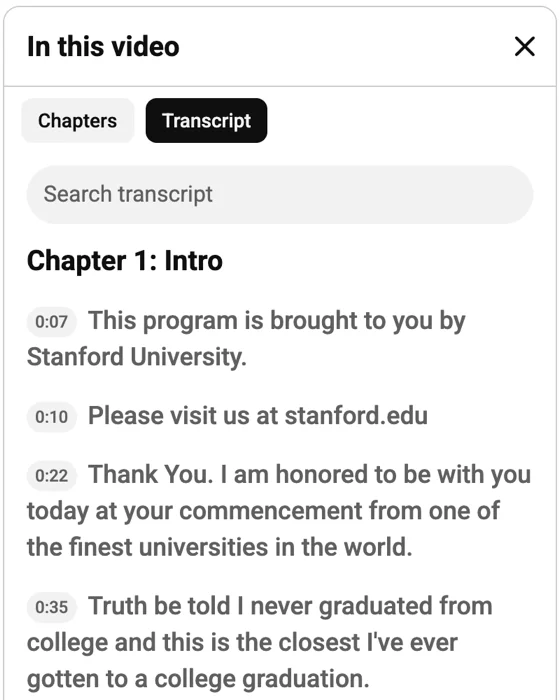
Limitations: no file. To keep the text, you select it in the panel and paste it somewhere else.
Tactiq: free web tool from a meeting-notes app
The Tactiq YouTube transcript tool is a free page from a meeting-notes product. Its page says you paste a link, click Get Video Transcript, and can copy or download the text as .txt "without entering your email".
Limitations: in our automated test the page rejected the request: its invisible reCAPTCHA check didn't let our automated browser through, and the panel stayed empty on all three videos. A regular browser may get through; we didn't try to bypass the check. The text source isn't stated.
For specific questions I get the transcript from https://tactiq.io/tools/youtube-transcript then copy paste to a LLM and append my question
NoteGPT: transcripts, playlists and AI summaries
The NoteGPT YouTube transcript generator is a free web tool for single videos or whole playlists, with copy, a .txt download and an AI summary. In our test the first transcript came without an account in 5.6 seconds and matched the YouTube track word for word. NoteGPT says its AI can also transcribe videos that have no captions.
Paid plans start at $9.99 a month, with no length cap for videos with subtitles and 120 or 210 minutes for videos without.
Limitations: one free transcript per browser: our next request showed "Sign In to get 15 free quotas per month". Translation is in paid plans only.
YouTube-Transcript.io: 25 free transcripts a month
YouTube-Transcript.io gives 25 free transcripts a month with "no sign-ups", plus an AI summary, playlists, channels, CSV lists and an API.
Paid plans are Plus at $9.99 a month for 1,000 transcripts and Pro at $24.99 a month for 3,000.
In our test the text matched the YouTube track word for word, and all five download formats worked: .txt, .srt, .vtt, .csv and .pdf.
Limitations: the .srt of the auto-captioned video had 201 empty 10-millisecond cues between lines, and AI insights need a login.
DownSub: TXT, SRT and VTT from YouTube and 50+ sites
DownSub is a subtitle downloader for YouTube and "50+ supported platforms", such as Vimeo, Dailymotion and Bilibili. It needs "no software to install and no account required" and saves TXT, SRT or VTT. Its app page also has an AI Summary tab.
Translation into 100+ languages, playlists and the API belong to Premium at $5 a month.
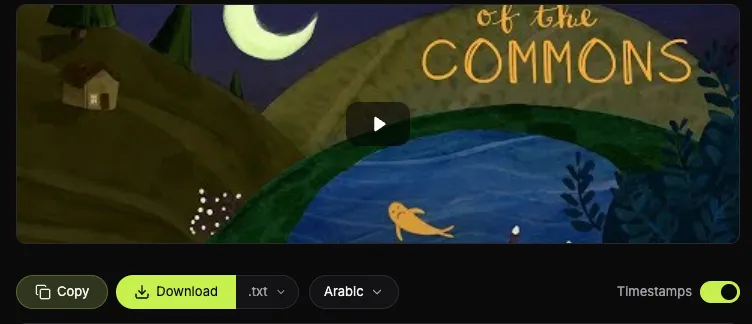
In our test the track list appeared in under 3 seconds, and the files matched the YouTube track word for word. On the TED-Ed video the list starts with Arabic; English is the seventh row.
Limitations: the text comes only as a file, not on the page.
YouTubeTranscript.com: a minimal transcript reader
YouTubeTranscript.com is a single page for reading a transcript next to the video, with Copy entire transcript and Autoscroll. It is "Powered by Merlin AI".
Limitations: in our test it returned no text for any video, the two with captions included: "We're sorry, YouTube is currently blocking us from fetching subtitles preventing us from generating a summary for you. We're working on a fix!"
Happy Scribe: speech-to-text with a human option
Happy Scribe transcribes the audio itself: choose Public link in the uploader and paste the YouTube URL. It claims 85% accuracy for AI and 99% for its human service, from €1.75 a minute. New users get 10 free minutes.
Its pricing page lists 150+ languages, AI translation and export to TXT, SRT, VTT, DOCX and PDF on paid plans.
Limitations: the text needs an account. In our test it imported each video in 67-112 seconds, the no-caption one included, then showed "Sign up to see your transcription". We didn't sign up, so its accuracy and formats come from its pages.
Riverside: free TXT from the captions, words edited
Riverside's free tool promises "no sign-up required" and 99% accuracy, with TXT and SRT. In our test both captioned videos came back in 24-28 seconds, with Download (.txt) and Copy to Clipboard.
Limitations: the lines kept the YouTube track's timings, but the words were edited: "fisherman" became "fishermen", and "Lloyd in 1833" turned into "Lloyd in 86". Check names and numbers. The no-caption video got "We had an error getting the transcript". File uploads we didn't test.
Which tool to choose for your task
For a free copy of the captions
For a video with captions, a free caption extractor is enough: TranscriptYou, DownSub, YouTube-Transcript.io or YouTube's Show transcript panel. In our test none asked for an account, and each gave the exact caption text in 1.5 to 16 seconds. Pick one of the first three for a file, and check the language on videos with many tracks.
For an SRT subtitle file
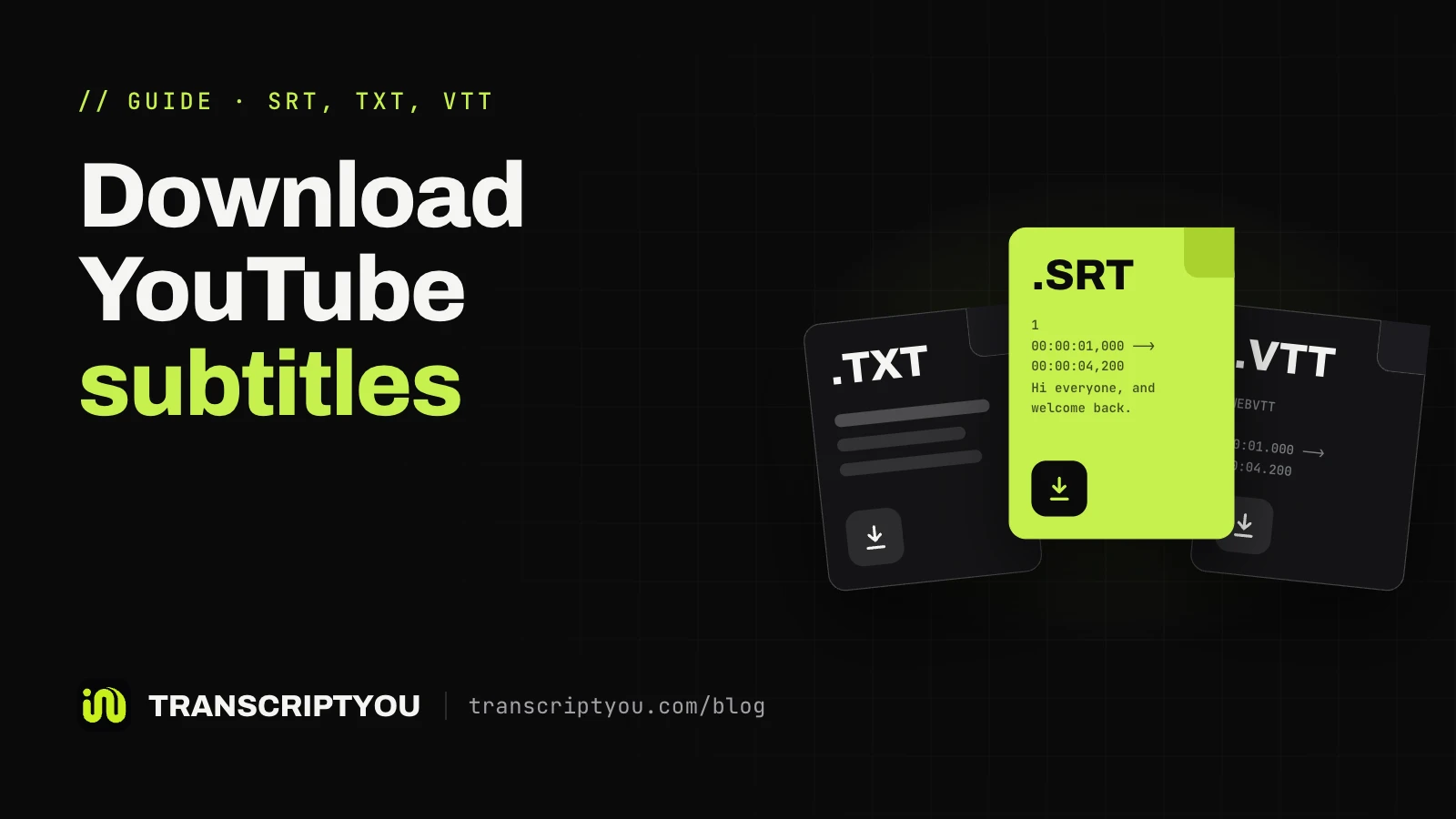
A SubRip (.srt) file keeps start and end times for every caption, which players and editors need. TranscriptYou has a YouTube to SRT page. On the auto-captioned video, DownSub's .srt had no overlapping cues, while TranscriptYou's kept YouTube's overlaps in 201 of 204 pairs. Our guide shows how to download YouTube subtitles step by step.
For a video with no captions
Only speech recognition helps. In our test Happy Scribe was the one tool that accepted the no-caption video: it took the import and asked us to sign up; we did not see the text. Riverside's link tool returned an error, though its page also takes your own MP3, WAV, MP4 or MOV file.
For AI summaries and notes
NoteGPT, YouTube-Transcript.io and DownSub add AI summaries. A built-in summary in TranscriptYou is in development; for now, switch Timestamps off, press Copy and paste the text into ChatGPT, Gemini or Claude. Our guide explains how to summarize a YouTube video with AI.
Need the captions as an .srt file?
Paste the video link and download a SubRip file built from its existing caption track, original timings kept. Free, no sign-up. A video without captions gives no file.
When these tools won't help
The video has no captions
A caption extractor, TranscriptYou included, returns nothing for a video with no caption track. Fresh uploads are a common case: YouTube Help says automatic captions "may not be ready at the time that you upload a video". If the transcript button itself is missing, see why the transcript button goes missing.
Private, members-only and age-restricted videos
TranscriptYou can't read private, members-only or age-restricted videos, and YouTube-Transcript.io and DownSub say they work on public videos. If the video is yours, its captions are in YouTube Studio.
Auto-caption errors
YouTube Help warns that automatic captions "might misrepresent the spoken content". A caption extractor copies those mistakes word for word, so check names and numbers before you quote them.
Free limits and prices change
Vendors change free tiers and prices often, so look at the pricing page before you rely on one for a big project.
Frequently asked questions
What is the best YouTube transcript generator?
It depends on whether the video has captions. If it does, a free caption extractor such as TranscriptYou or DownSub gives the text in seconds. If it doesn't, you need a speech-to-text service such as Happy Scribe, which transcribes the audio itself; in our test it was the only tool that accepted a video with no captions.
Is there a free YouTube transcript generator without sign-up?
Yes, several. In our test TranscriptYou, DownSub and Riverside returned text with no account, YouTube-Transcript.io did too (25 free transcripts a month), and NoteGPT gave one free transcript before asking to sign in. For a video with captions, any caption extractor among them will do.
Can I get a transcript of a YouTube video with no captions?
Yes, with a speech-to-text service. In our test Happy Scribe accepted the import of a video with no captions and asked us to sign up (10 free minutes); we did not see the text. Riverside's link tool returned an error on the same video.
How accurate are YouTube transcript generators?
Caption extractors are exactly as accurate as the captions: in our test TranscriptYou, NoteGPT, YouTube-Transcript.io and DownSub matched the YouTube track word for word, mistakes included. In Riverside's text, 297 of the first 300 words matched the YouTube track: it edited words and turned "1833" into "86". Vendors' own figures: Riverside 99%, Happy Scribe 85% for AI and 99% for human transcription.
Which tools export a YouTube transcript as an SRT file?
In our test TranscriptYou, DownSub and YouTube-Transcript.io gave .srt files; Riverside and Happy Scribe (on paid plans) list SRT on their pages. DownSub and YouTube-Transcript.io also save VTT. On TranscriptYou, the YouTube to SRT page builds the file from the video's existing caption track with its original timings.
Do I need a Chrome extension to get a YouTube transcript?
No. Every tool on this list runs in an ordinary browser tab. A YouTube transcript extension is optional: Tactiq's Chrome extension is built for meetings, and DownSub and YouTubeTranscript.com (via Merlin) offer one for convenience.
Do these tools work with YouTube Shorts?
TranscriptYou accepts Shorts links and has a dedicated YouTube Shorts transcript page, since the Shorts player has no transcript panel. A Short needs a caption track like any other video. The other tools' pages checked for this article don't mention Shorts.
Does TranscriptYou translate transcripts?
Not yet: translation is in development. Today the language menu lists the caption tracks the video carries, and the tool does not translate them. For other languages, copy the text into a translator or an AI chat such as ChatGPT.
Get the transcript of a YouTube video
If the video has captions, paste its link and get the full text with timestamps. Copy it or save it as .txt or .srt. Free, no sign-up.
Sources
- YouTube Help: View video transcripts
- YouTube Help: Use automatic captioning
- Tactiq: Free YouTube Transcript Generator
- Tactiq Help: How to choose the right Tactiq plan and pricing
- NoteGPT: YouTube Transcript Generator
- NoteGPT: Pricing
- YouTube-Transcript.io
- YouTube-Transcript.io: Pricing
- DownSub
- About DownSub
- YouTubeTranscript.com
- Happy Scribe: YouTube transcription
- Happy Scribe: Pricing
- Riverside: YouTube Transcript Generator
- Riverside: Pricing
- Happy Scribe Help: Plans and pricing