Closed captions vs subtitles at a glance
The difference between closed captions and subtitles comes down to two questions. The first is what the text carries: captions write out speech plus sound cues and speaker names, while subtitles carry only the dialogue. The second is whether the viewer can hide the text: a closed version is a separate track, an open one is burned into the picture. SDH sits in between.
| Criterion | Closed captions | Subtitles | SDH | Open captions |
|---|---|---|---|---|
| Who it is for | Deaf and hard of hearing viewers | Viewers who hear but do not know the language | Deaf and hard of hearing viewers | Everyone, including people watching muted |
| Assumes the viewer can hear | No | Yes | No | Depends on the text |
| Includes sound cues and speaker names | Yes | No | Yes | Only if the creator adds them |
| Language | Same as the audio | Usually translated | Same as the audio, sometimes translated | Any, fixed when the video is rendered |
| Can be turned off | Yes | Yes | Yes | No |
| Typical files | SCC (CEA-608), also SRT and WebVTT | SRT, WebVTT, TTML | SRT, TTML and other text tracks | None: the text is part of the picture |
| Required by law in the US | For most new TV programs (FCC) | No | No | No, but accepted in place of captions on TV |
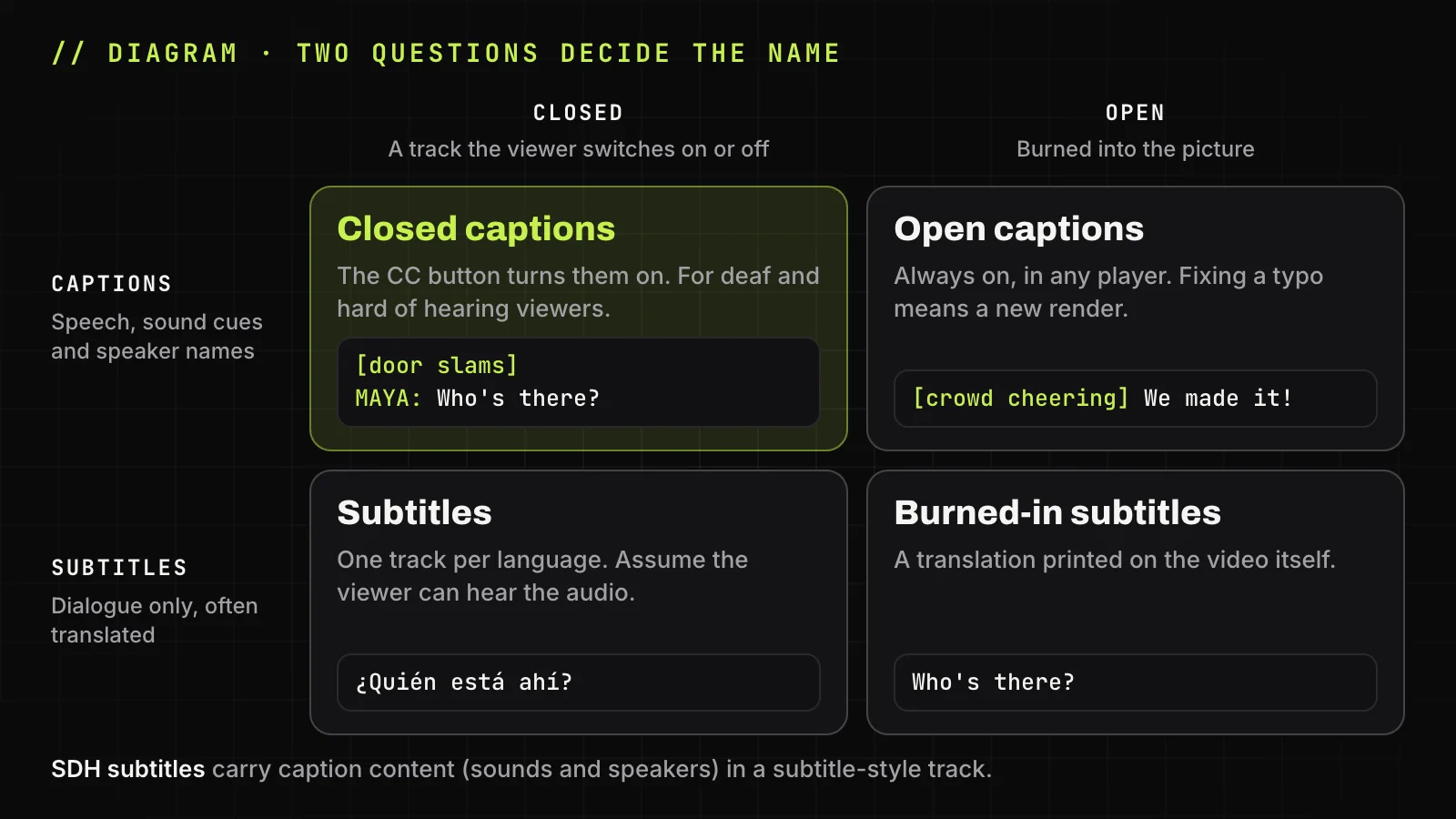
That is closed captions versus subtitles in one line: captions describe the whole soundtrack, subtitles cover speech only, and open or closed says who controls the display.
What closed captions are
Closed captions are a same-language text version of everything audible in a video: the dialogue, who is speaking, sound effects and music. Closed caption meaning in one line: text that replaces the audio for viewers who cannot hear it. Closed captioning serves deaf and hard of hearing viewers first, and the CC icon on a player is the switch.
What does closed caption mean for the viewer in practice? The text stays hidden until they turn it on, and it stays in the language that is spoken. On US television, the caption data follows two standards: EIA-608 (later CEA-608, now CTA-608) from the analog era, and CTA-708 for digital TV.
What a caption track includes besides dialogue
A full caption track adds four kinds of non-speech information: speaker identification when the speaker is off screen, sound effects in square brackets such as [phone rings], music cues with the ♪ sign, and tone tags such as [whispering] when delivery changes the meaning.
1
00:00:01,360 --> 00:00:03,040
[♪♪♪]

2
00:00:18,640 --> 00:00:21,880
♪ We're no strangers to love ♪
Here [♪♪♪] marks the instrumental intro, and the ♪ signs say the words are sung. The sample SubRip file in YouTube Help shows two more habits: speaker names as >> ALICE: and a cue such as [intro music] on its own line.
Why they are called closed captions
Closed means hidden until the viewer opens the text. On analog US television, the FCC reserved line 21 of the picture for caption data in 1976, and regular captioned programs began on March 16, 1980. Viewers needed a decoder box until the Television Decoder Circuitry Act of 1990 put decoders inside TV sets.
What subtitles are
Subtitles assume the viewer can hear the audio and show only the spoken dialogue, usually translated into another language. A French film with English subtitles is the classic case: the viewer hears the music and the door, so the text skips them. Same-language subtitles exist too, for heavy accents, fast speech or language learners.
Forced narrative subtitles translate only what the viewer could not otherwise follow, such as a line in a foreign language or a sign on screen, and they stay on when subtitles are off. Netflix Help describes exactly that for titles with dialogue in a language other than the original.
Is closed captioning the same as subtitles? In the US and Canada, no. Elsewhere the line blurs: the UK government design team Design102 notes that the two words are often used to mean the same thing. So does closed caption mean subtitles? Only loosely. Subtitles vs closed captions differ in content, not in menu label, so closed captioning vs subtitles comes down to whether viewers need the sounds written out.
Open captions vs closed captions
Open captions are burned into the video picture and cannot be turned off; closed captions are a separate track that the viewer controls. Open caption vs closed caption is a question of display, not content: an open version can show full captions with sound cues or a plain translation of the dialogue.
- Open, for: visible in muted social feeds and in any player.
- Open, against: a typo fix or a second language means a new render.
- Closed, for: many languages on one video, and fixes without a new render.
- Closed, against: a platform may not show the track, and many viewers never press the button.
For a YouTube creator, the open caption vs closed caption choice splits by platform. Upload a closed track to YouTube, and burn open text into the short versions for Shorts, Reels or TikTok, where many people scroll muted. TranscriptYou does not burn text into video; it saves existing tracks as files.
SDH subtitles: captions in a subtitle format
SDH stands for Subtitles for the Deaf and Hard of Hearing. SDH subtitles carry caption information, such as sound cues and speaker names, but are delivered as a subtitle track, so they play on Blu-ray discs, streaming apps and devices that do not decode CEA-608 or CTA-708 data.
SDH usually differs from TV captions in look and language: it takes the font, color and position of regular subtitles, and it can be translated. Platforms render both their own way, so treat this as the usual case, not a rule.
English vs English CC on streaming services
A menu that lists both English and English [CC], or English (SDH), offers two tracks in one language. Plain English is dialogue only, sometimes just the forced narrative lines; English [CC] or SDH adds sound cues and speaker names. Netflix marks titles that have such a track with an SDH badge and warns that without one, you may get text with dialogue only, without sounds or music.
I could've sworn I've seen it in streaming services before, where you could choose between dialog only and closed captioning. One is usually called "English" and the other is "English SDH" or similar
Get the caption track of any YouTube video
Paste a YouTube link to see the caption and subtitle tracks the video has and save the track you pick as .srt or .txt.
Closed captions and subtitles on YouTube
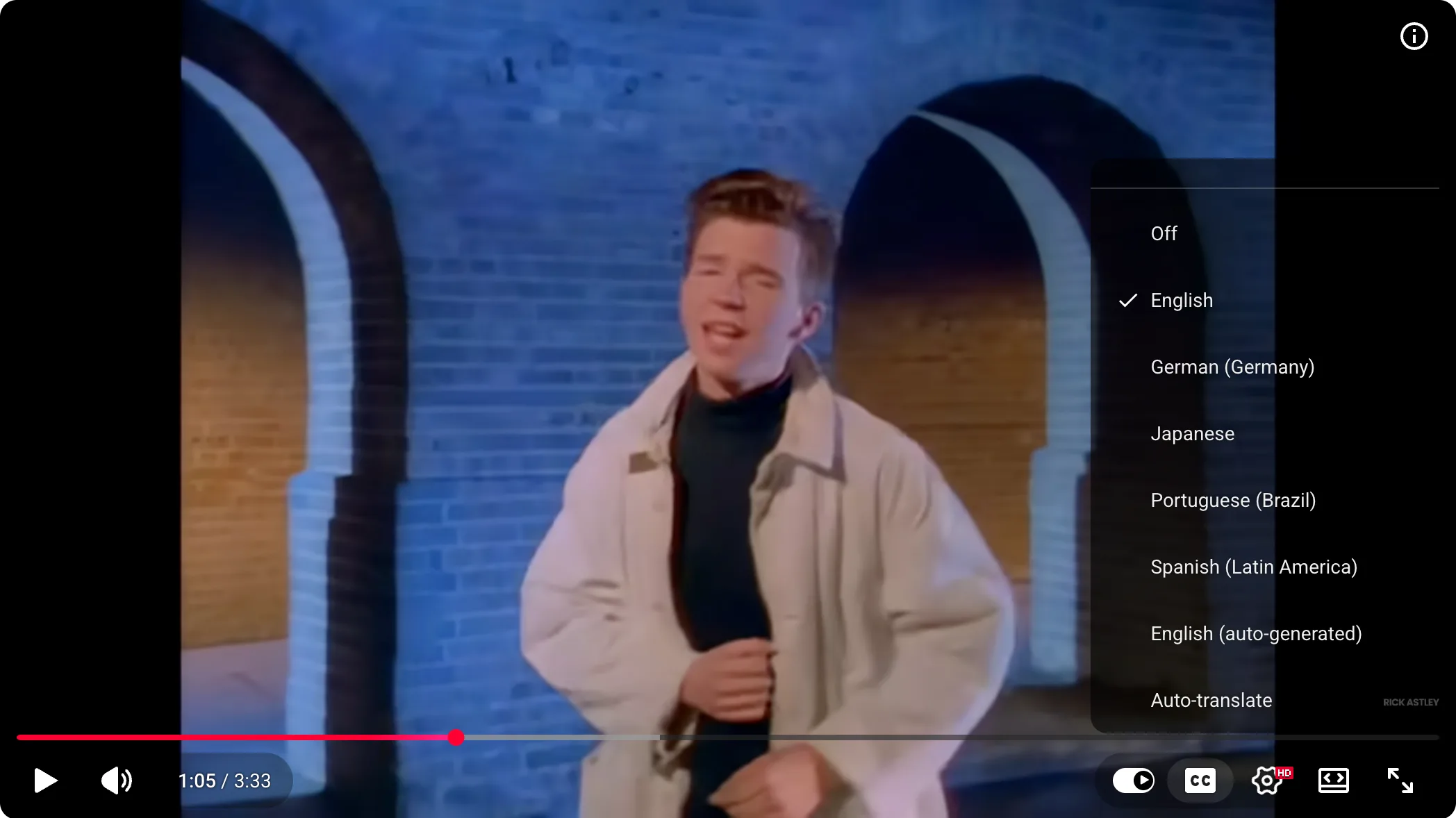
YouTube puts both under one CC button and one Subtitles/CC menu, and it does not label which tracks are true captions, so CC vs subtitles on YouTube is a question about the track, not the button. A creator-uploaded track can be full captions with [sounds] or plain dialogue. An automatic track comes from YouTube's speech recognition. Auto-translate turns an existing track into another language on the fly.
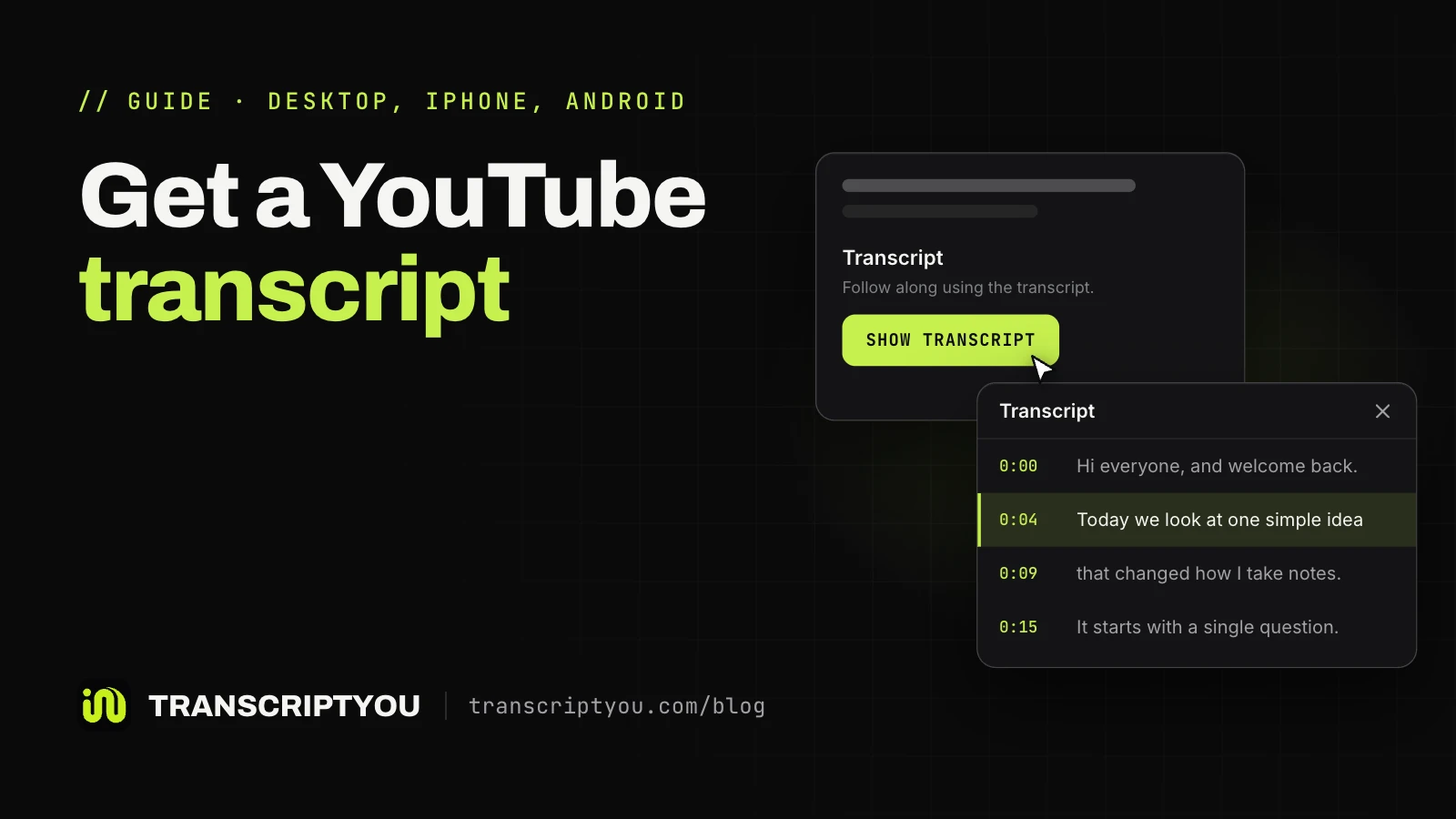
To turn the text on, click the CC button at the bottom right of the player on a computer; in the app, tap the player once, then the CC icon. Settings, then Subtitles/CC, picks the track. See how to turn on captions and open the transcript. To keep the text as a file, download any caption track from YouTube.
Auto-generated captions
YouTube creates automatic captions with speech recognition, and its Help Center warns that quality may vary: mispronunciations, accents, dialects and background noise all cause errors. For English, YouTube adds expressive captions: speech intensity in capitals, sounds like sighs and gasps, and noises from the environment.
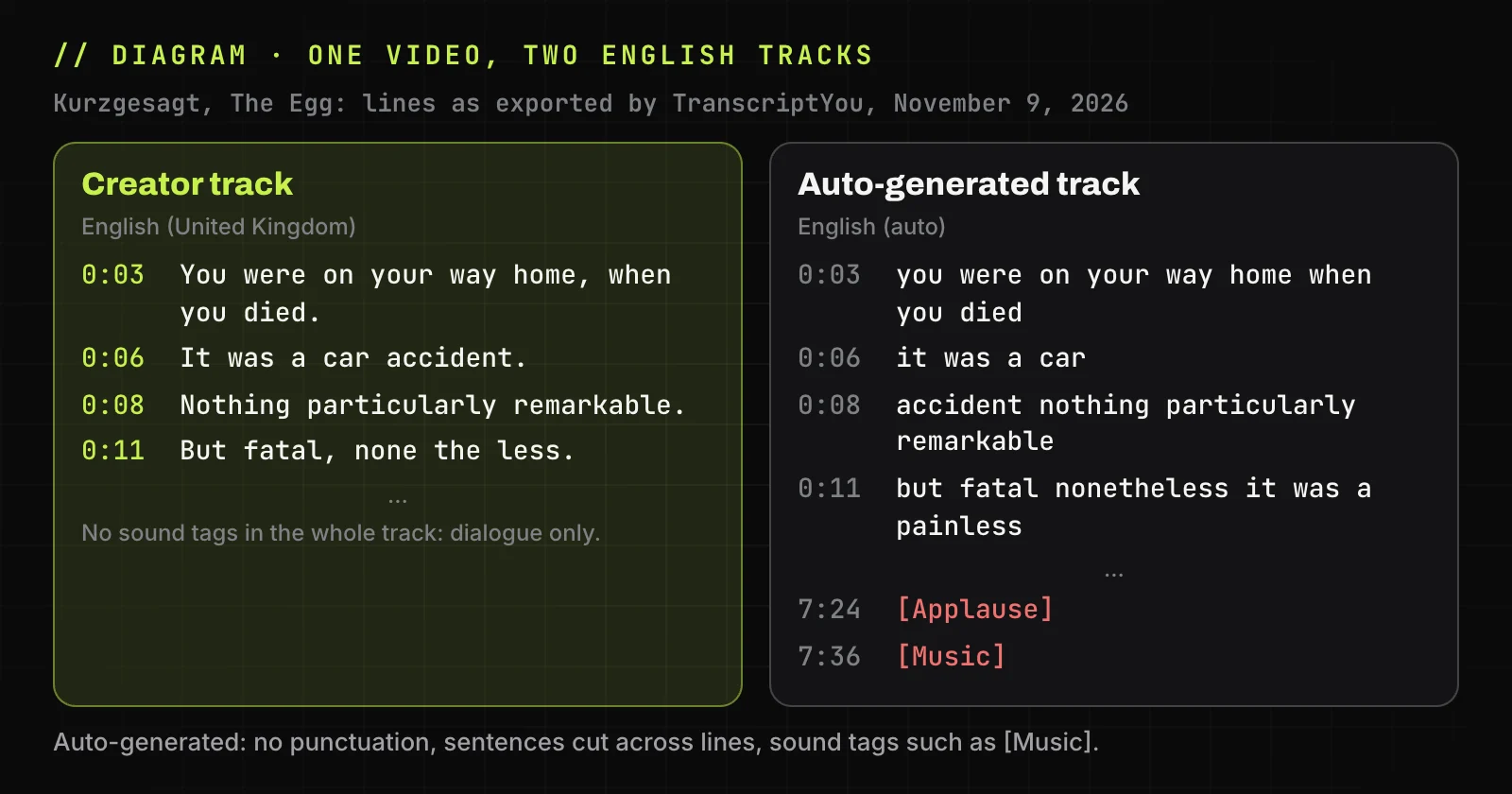
We compared the two English tracks of one Kurzgesagt video. The creator's track had punctuation and no sound tags: dialogue only. The automatic one had no punctuation, split sentences across lines and tagged the ending [Applause] and [Music]. Neither named a speaker, a gap other users notice too:
YouTube's auto-generated captions are a great product, but one problem is that they can't tell speakers apart in podcasts with multiple people.
For accessibility, an automatic track is a draft: FCC quality rules for TV ask captions to be accurate, synchronous, complete and well placed. If you only need the words without timings, a YouTube transcript generator gives plain text from the same tracks.
Auto-translated subtitles
Auto-translate machine-translates an existing caption track into another language, so the result is subtitles in meaning: dialogue only, with any errors of the source carried over. YouTube Help puts it in the player menu: if a language is not listed under Subtitles/CC, choose Auto-translate and then the language.
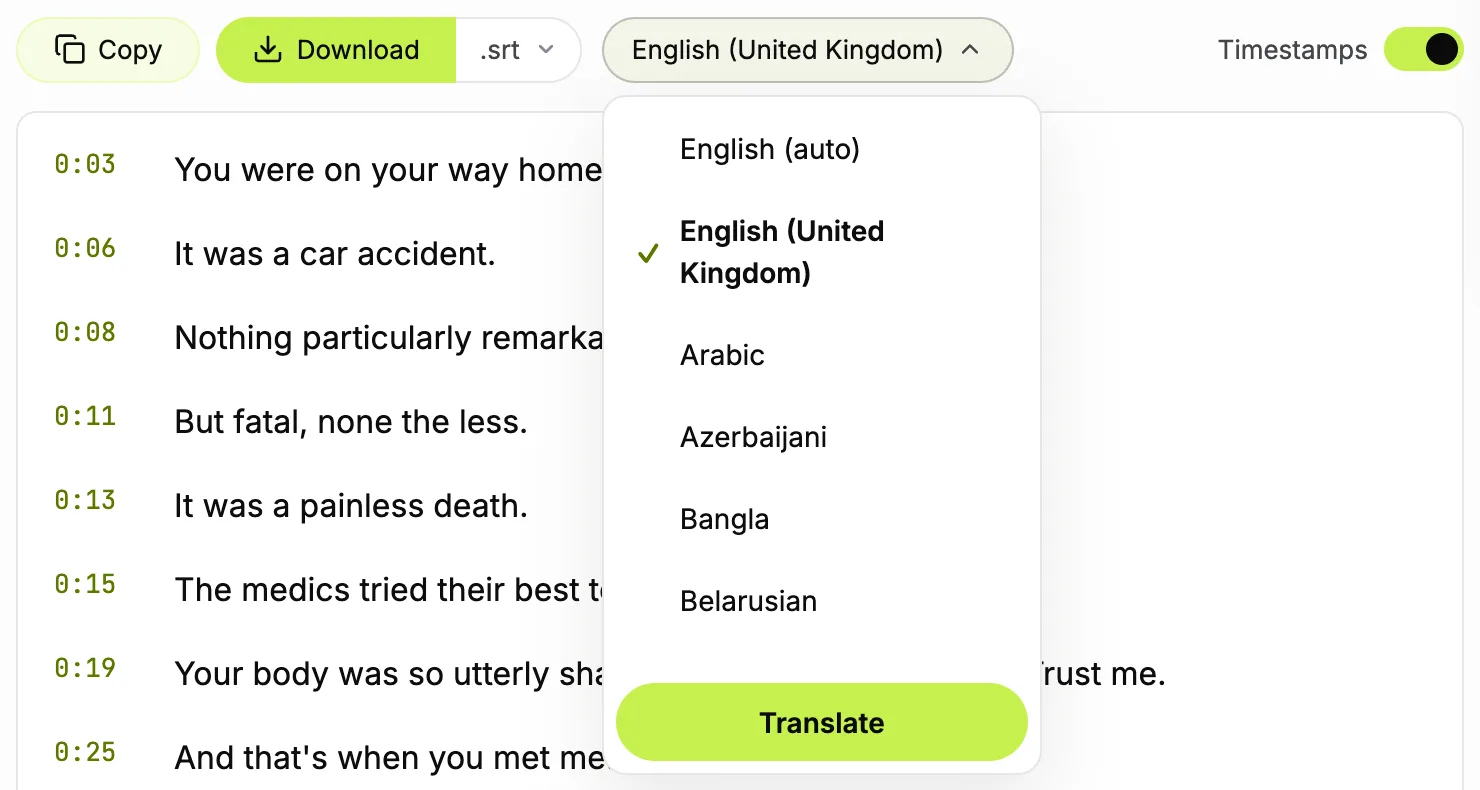
TranscriptYou lists only the tracks a video carries: in our check of three videos on November 9, 2026, its menu showed the video's own tracks, creator-uploaded or automatic (marked (auto)), but no auto-translations. The Translate button is a coming-soon feature, not a translated track.
Which one to use for your video
The choice depends on your audience, and one video often needs both:
| Audience | Use | How to check |
|---|---|---|
| Deaf and hard of hearing viewers | Closed captions or SDH | Watch muted: every key sound is in the text |
| Viewers who speak another language | Translated text, one track per language | A native speaker checks names |
| Social feeds watched without sound | Open captions | Play the clip muted on a phone |
| Programs shown on US television | Captions under FCC rules | Online copies keep the TV captions |
| Websites of US state and local governments | Captions under the ADA web rule (WCAG 2.1 AA) | Your compliance date |
| Products and services sold in the EU | Check the European Accessibility Act | Whether it lists your service |
Under FCC rule 47 CFR 79.4, programs shown on US television with captions must keep them online, clips included; a video made only for the web is outside that rule. For broadcast, rule 79.1 requires captions on new English and Spanish programs and accepts open captioning instead.
The ADA web rule for state and local governments sets WCAG 2.1 Level AA, which includes captions for video, with compliance from April 26, 2027 or 2028 depending on population. The European Accessibility Act, Directive (EU) 2019/882, covers services such as access to audio-visual media. This is a summary, not legal advice.
Caption and subtitle file formats
The type of text sets the content, not the file extension: an SRT file can hold SDH text with [sounds] as easily as plain subtitles.
| Format | What it usually carries | Where it is used |
|---|---|---|
| SRT (SubRip) | Translations and simple captions, no position or styles | Desktop players, editors, YouTube uploads |
| WebVTT (.vtt) | Captions and translations, with position | HTML5 web players |
| SCC | CEA-608 TV captions | Broadcast; YouTube's preferred file for 608 data |
| TTML / IMSC | Captions and translations with styling and position | Streaming services |
| TXT | A transcript without timings, not a caption file | Reading, notes, search |
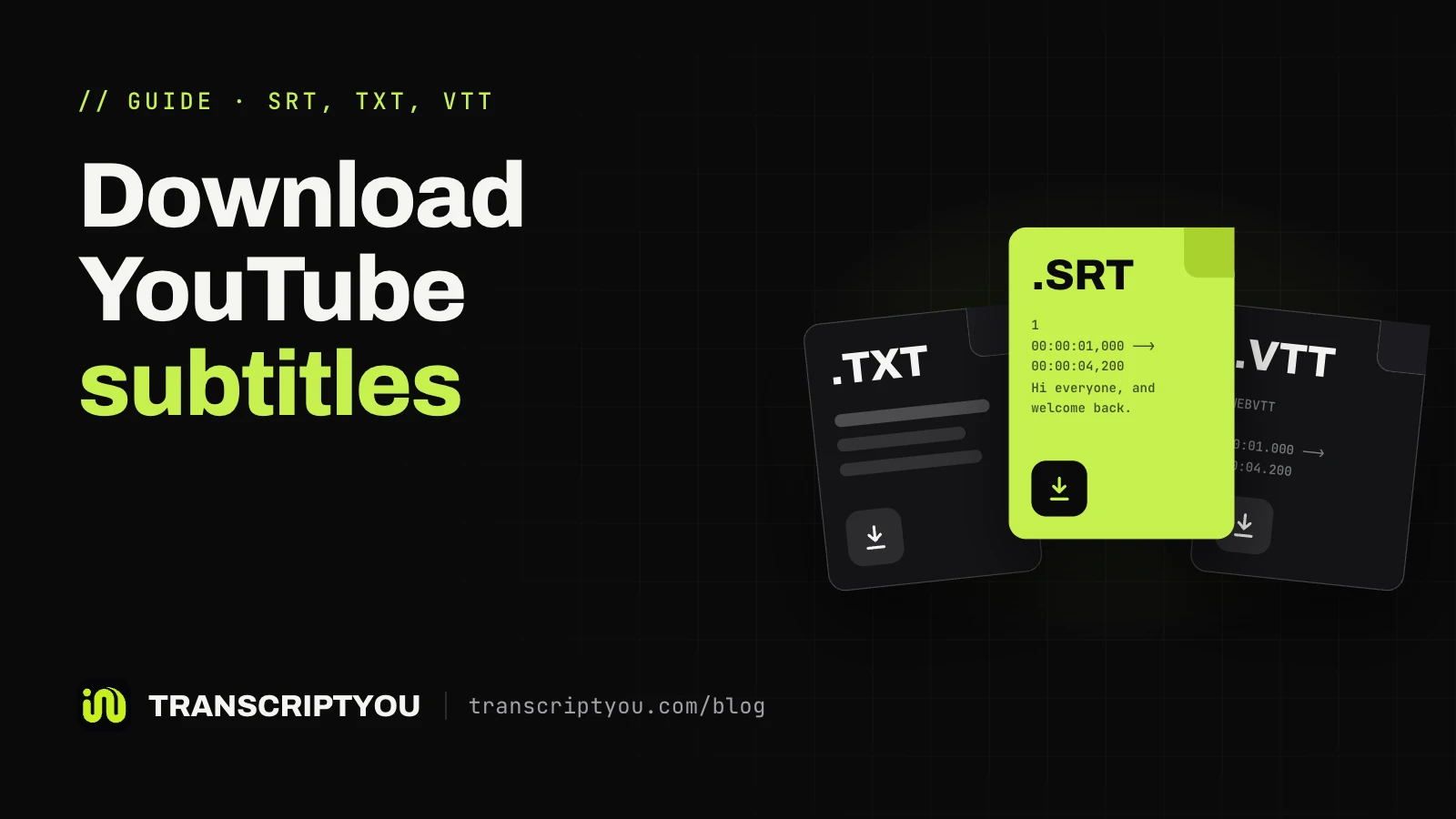
YouTube Help lists SRT, WebVTT, SCC and TTML among the caption files YouTube accepts and prefers SCC whenever captions are based on CEA-608. The layout of a SubRip file is in what an SRT file is. To save YouTube captions as SRT, paste the video link.
Save YouTube captions as an SRT file
Paste a link and get the video's caption track as a .srt file with the original timings.
When captions and subtitles fall short
Translated text does not replace captions for deaf viewers: without sound cues, a knock at the door or a change of speaker is simply lost. Automatic captions mishear names and terms and give no speaker names, so they need an edit before they count as accessible. Open captions cannot be switched off, translated or corrected without rendering the video again.
SRT stores no position or styling, so captions converted from SCC or TTML lose their placement, such as text moved up to clear an on-screen name. A video with no track has nothing to download: see why a video has no captions.
When this does not work
TranscriptYou reads the caption tracks a YouTube video already has and does not recognize speech itself. Private, members-only and age-restricted videos are not supported.
Frequently asked questions
Is closed captioning the same as subtitles?
No. Closed captioning writes out every sound for viewers who cannot hear, including speaker names and cues like [laughter], while subtitles carry only the dialogue for viewers who can hear but do not understand the language. Outside the US and Canada, though, the two words are often used for the same thing.
What does CC mean on YouTube?
CC stands for closed captions, and on YouTube the CC button turns on whatever text track the video has. That may be real captions with sound cues, a dialogue-only track from the creator or an automatic track made by speech recognition. Settings, then Subtitles/CC, shows which tracks exist.
How do I turn on closed captions on YouTube?
On a computer, open the video and click the CC button at the bottom right of the player; click it again to turn the text off. In the YouTube app, tap the player once, then tap the CC icon. To change the language, open Settings, then Subtitles/CC, and pick a track.
Why do people who can hear turn on captions?
Mostly for clarity: a noisy room, a strong accent, fast speech or a video watched without sound on a commute. The UK government design team Design102 lists the same reasons and adds people with autism or learning disabilities, who may use captions to understand and focus on content.
Can subtitles be turned into closed captions?
Partly. The timings and the dialogue carry over, so a same-language subtitle file is a good start. You still have to add what a hearing viewer gets from the audio: speaker names, sound effects in square brackets and music cues. A translated file first needs to become the original language.
Are auto-generated captions good enough for accessibility?
Not on their own. YouTube itself says automatic captions may misrepresent speech and asks creators to review them. Open the track in YouTube Studio under Subtitles, fix names, terms and punctuation, and add speaker names where several people talk. After that edit, the track can serve viewers who rely on it.
Can I download the closed captions from a YouTube video?
Yes, if the video has a caption track. TranscriptYou lists the tracks the video carries and saves the track you pick as .srt or .txt, free and without sign-up. Our guide shows how to download YouTube subtitles step by step, including videos with several languages.
Download YouTube subtitles
Paste a link, pick any caption track the video has and save it as .srt or .txt. Free, no sign-up.
Sources
- YouTube Help: Use automatic captioning
- YouTube Help: Supported subtitle and closed caption files
- YouTube Help: Manage caption settings
- 47 CFR 79.1: Closed captioning of televised video programming (eCFR)
- 47 CFR 79.4: Closed captioning of video programming delivered using Internet protocol (eCFR)
- ADA.gov: Fact Sheet: New Rule on the Accessibility of Web Content and Mobile Apps Provided by State and Local Governments
- European Commission: European Accessibility Act (EAA)
- Netflix Help: How to use subtitles, captions, or choose audio language
- Design102 (GOV.UK): Subtitles and captions: What's the difference?
- Wikipedia: Closed captioning