This guide is for creators. For someone else's video, see how to get the transcript of a YouTube video.
What a transcript is on YouTube
YouTube builds its text panel from a published caption track, so adding one means adding captions. YouTube's glossary:
- Transcript: the spoken words as plain text, without timings.
- Captions: timed text on a video.
- Closed captions: captions that also describe sounds.
- Subtitles: text translated from the spoken language.
What you need before adding a transcript
Check four things first, so the upload works the first time.
Access to the channel in YouTube Studio
Owners, Managers and Editors can add subtitles, and so can the Subtitle Editor role, which can do nothing else (Brand Accounts lack it).
A video language set on the video
Set it in Content: tick the videos, click Edit, choose Video language. Subtitle Editors need it.
A transcript or a timed subtitle file
Plain .txt has no timings, so YouTube adds them; an .srt or .sbv file has them for every line.
A computer, not the phone app
YouTube documents adding subtitles only in YouTube Studio on a computer, not in the Studio phone app.
How to add a transcript to a YouTube video in Studio
These steps follow YouTube's help center.
-
Open Subtitles in YouTube Studio
Sign in to studio.youtube.com, select Subtitles in the left menu and click the video.
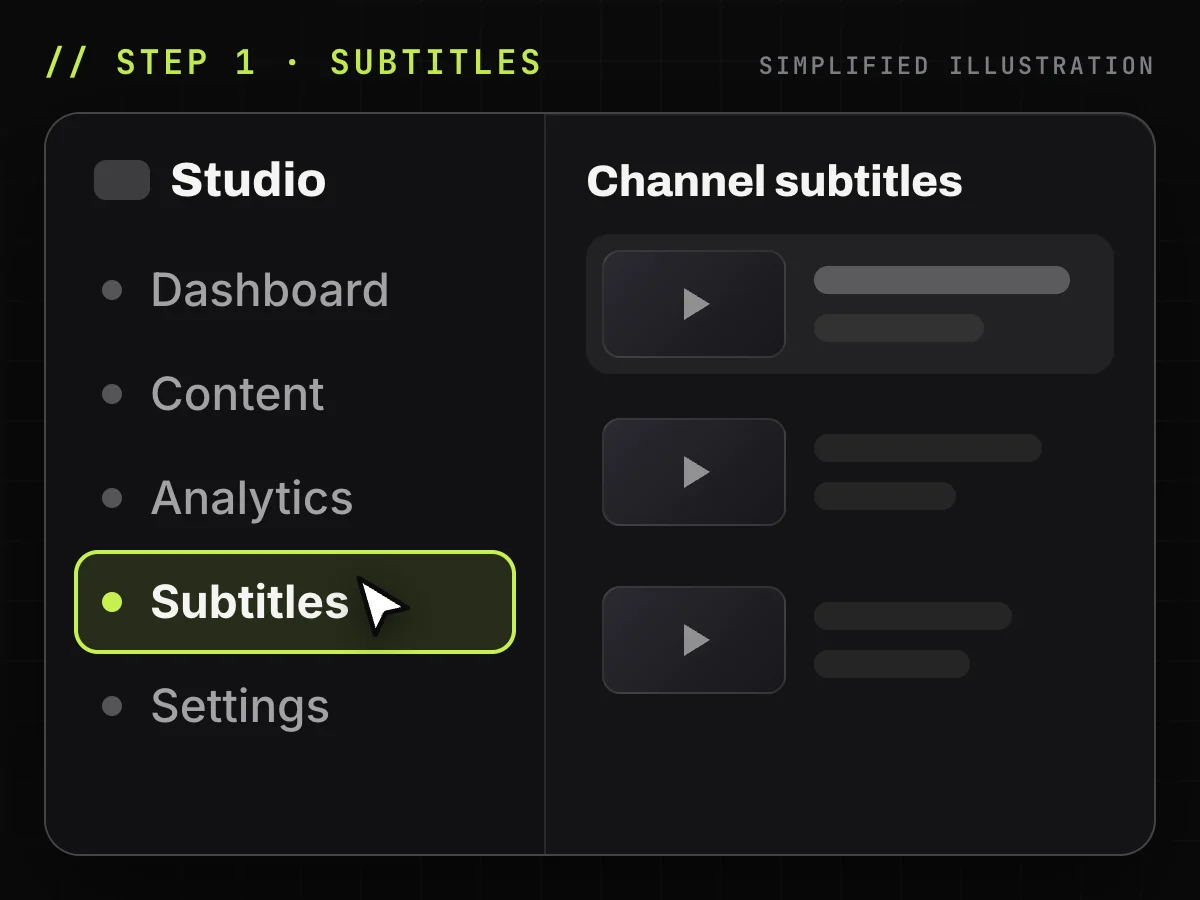
Simplified illustration of YouTube Studio: the Subtitles menu. -
Add the video language
Click ADD LANGUAGE and select the spoken language. Skip this if it is already listed.
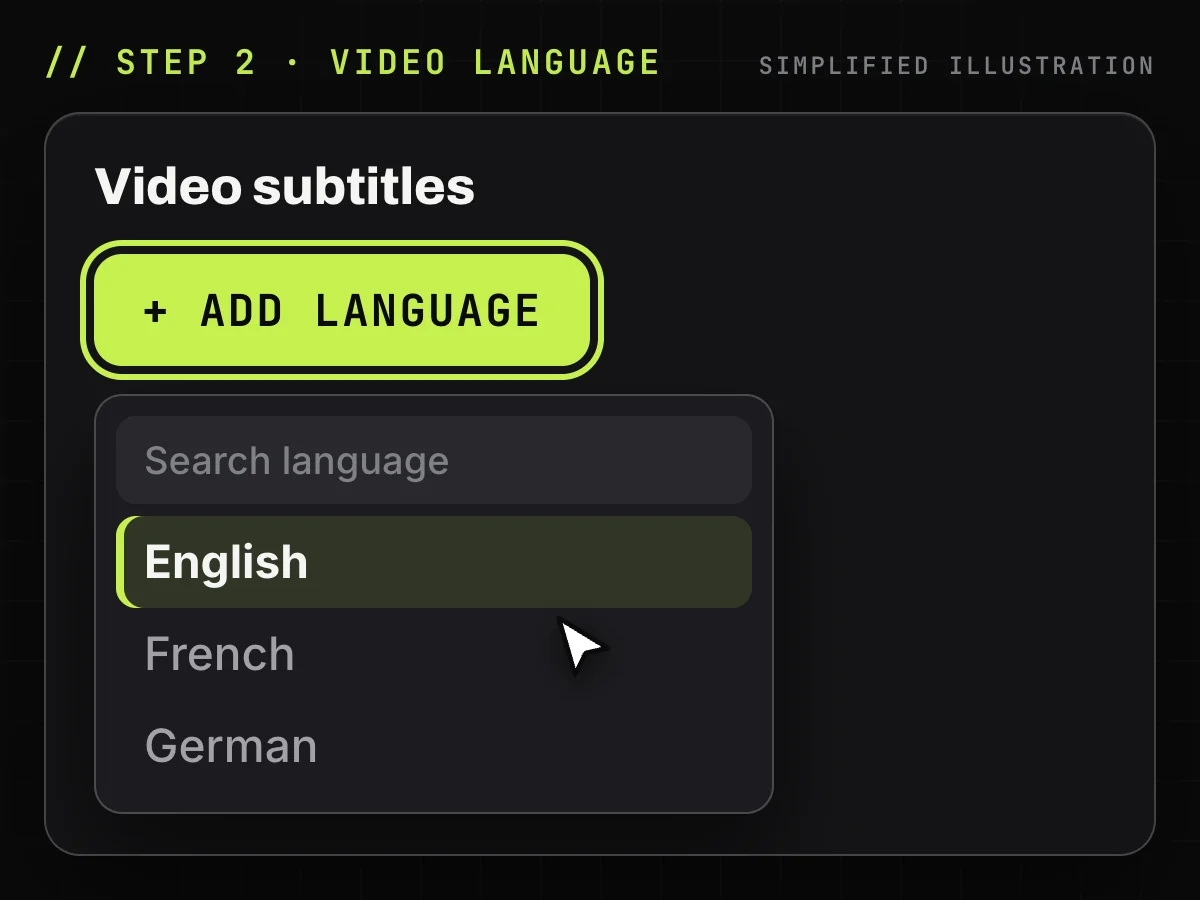
Simplified illustration of YouTube Studio: ADD LANGUAGE. -
Click Add under Subtitles
In that language's row, under Subtitles, click ADD.
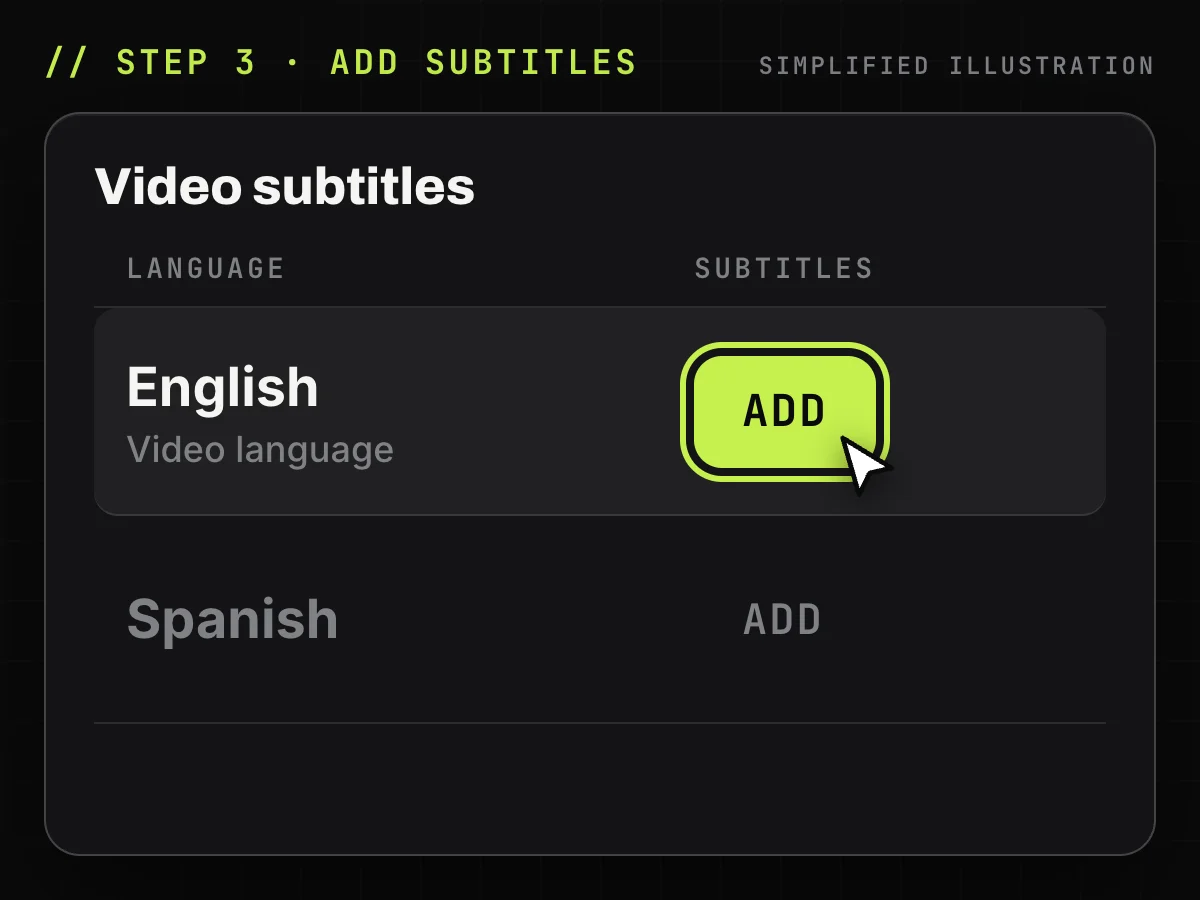
Simplified illustration of YouTube Studio: ADD in the Subtitles column. -
Choose how to add the text
Upload file, Auto-sync or Type manually: see the next section.
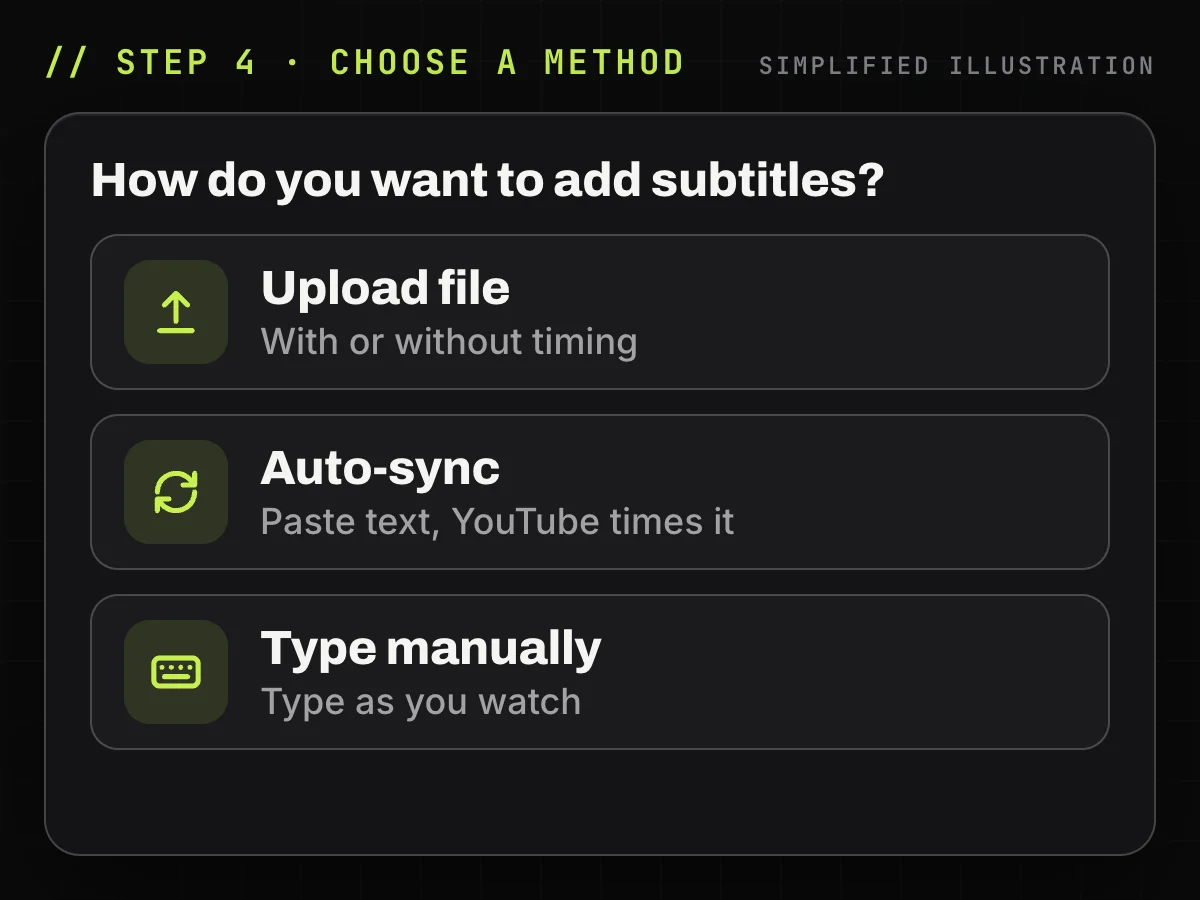
Simplified illustration of YouTube Studio: three options. -
Publish and check the Show transcript panel
Publish, then open the panel from the description on YouTube and check the lines.
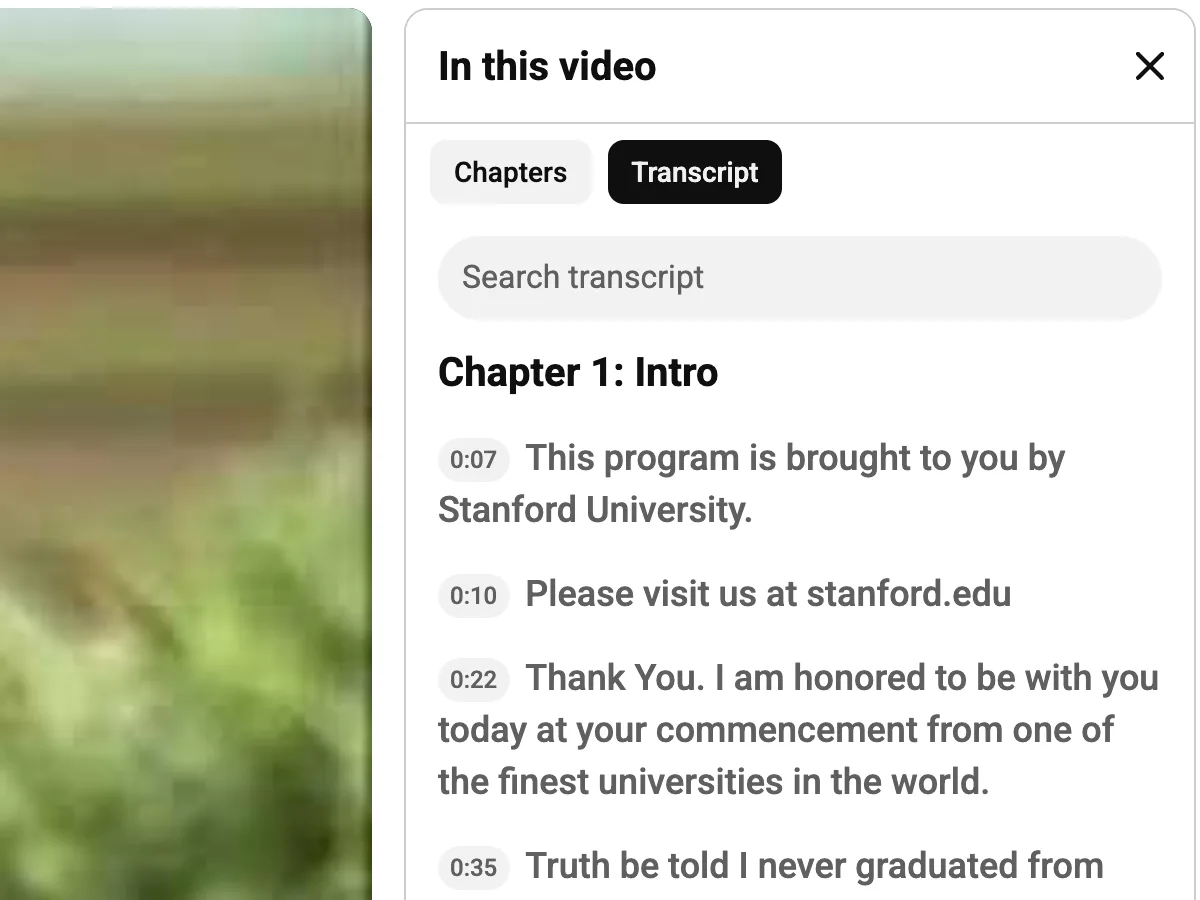
Screenshot: the panel on a public video.
Upload a file, auto-sync or type: which method to use
| Method | What you provide | Who sets the timing | Best when | Limits |
|---|---|---|---|---|
| Upload file | Timed file or plain text | The file or YouTube | File ready | Supported formats only |
| Auto-sync | Pasted text or a .txt file | YouTube | Script ready | Not for videos over an hour or poor audio |
| Type manually | Nothing yet | YouTube, as you type | Short videos | Slow |
Upload a file with or without timing
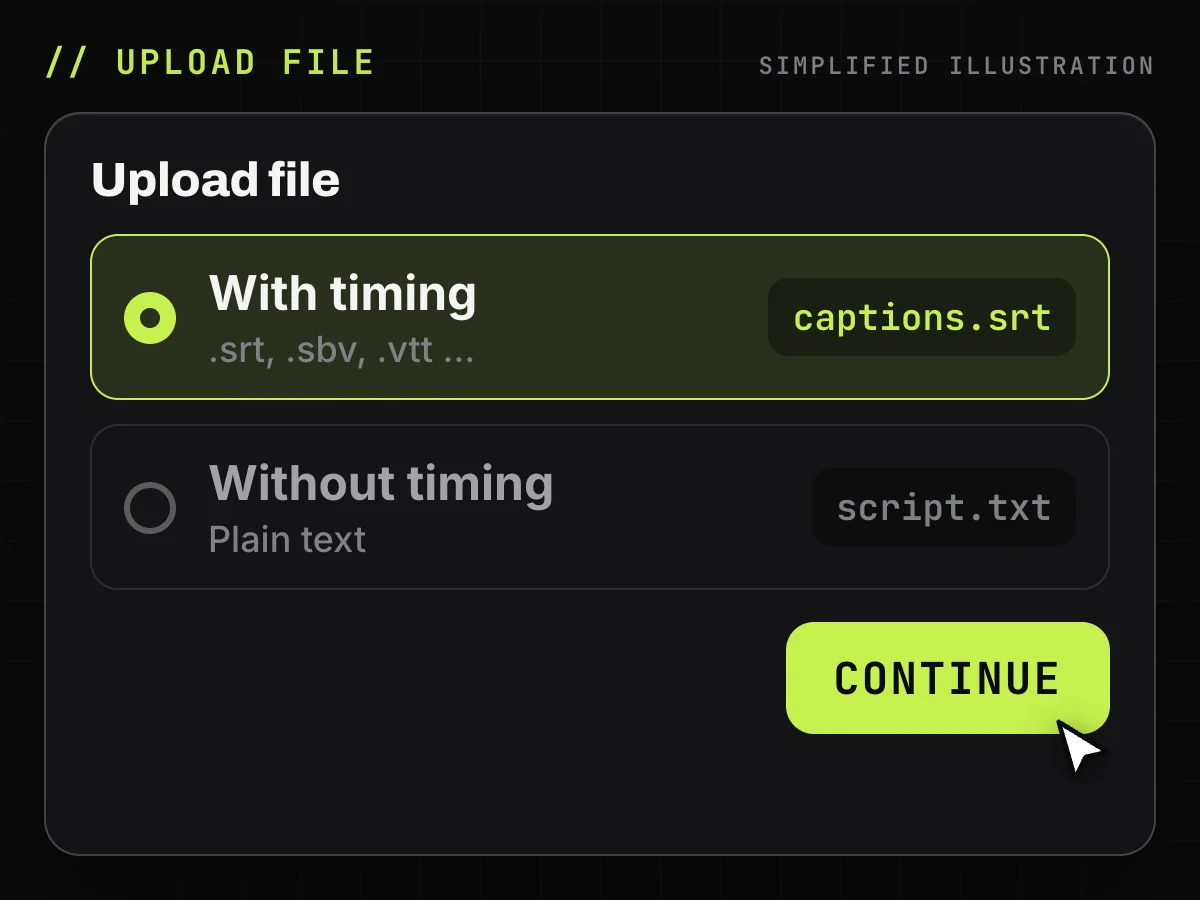
Select Upload file, choose With timing for .srt, .sbv and other subtitle files or Without timing for plain text, click Continue, pick the file and click Save.
Auto-sync a transcript you already have
Select Auto-sync, paste the words or upload a .txt file and save. In a few minutes YouTube aligns the text with the speech and publishes the track. The text must be in the spoken language, and speech recognition must support it.
Type or paste the text manually
Select Type manually, play the video and type or paste each line; timings are set as you go. Add sound cues such as [applause], then click PUBLISH.
Already have captions on the video? Get an SRT file
Get a public video's existing subtitle track as a UTF-8 .srt with original timings. Free, no sign-up.
Caption file formats YouTube accepts
For a first upload, YouTube recommends SubRip (.srt) or SubViewer (.sbv): basic timing, any text editor.
| Group | Formats | Notes |
|---|---|---|
| Basic | .srt, .sbv/.sub, .mpsub, .lrc, .cap (Videotron Lambda) | SRT, SBV: plain UTF-8, no styles |
| Advanced | .smi/.sami, .rt, .vtt (WebVTT), .ttml, .dfxp | Styling or position |
| Broadcast | .scc, .stl, .tds, .cin, .asc, .cap | .scc for CEA-608 |
| Plain text | .txt | Without timing or Auto-sync |
1
00:00:00,599 --> 00:00:04,160
Welcome back to the workshop.

0:00:00.599,0:00:04.160
Welcome back to the workshop.
SRT numbers each cue and puts a comma before milliseconds; SBV uses dots. See what an SRT file looks like.
Will Studio accept our SRT export? What we checked
We checked the export code against YouTube's file rules: cues numbered from 1, HH:MM:SS,mmm timings, no style tags, UTF-8. All four match. In our check, the automatic track overlapped: our .srt of h-2W-t22d8M had 201 overlapping pairs out of 204; the creator track of CxC161GvMPc had none. Aegisub's Timing → Make Times Continuous → Change End ends each cue where the next starts; we fixed it with a script that applies the same rule: 0 overlaps, text unchanged. Not tested: an upload to Studio (we have no test channel).
1
00:00:00,420 --> 00:00:05,040
hello welcome or welcome back to my

2
00:00:02,879 --> 00:00:08,220
channel in this video I will be

1
00:00:00,420 --> 00:00:02,879
hello welcome or welcome back to my

2
00:00:02,879 --> 00:00:05,040
channel in this video I will be
How to format a transcript file for auto-sync
YouTube wants plain .txt in the spoken language:
- A blank line starts a new caption.
- Sounds go in square brackets: [music], [laughter].
>>marks a new speaker.- Save non-English text as UTF-8: in Notepad, Save as → Encoding UTF-8; in TextEdit, Format → Make Plain Text, then save as UTF-8.
>> Hi, I'm Dana, and this is the studio.

[music]

>> And I'm Sam. Let's start with the cheapest one.
If the text adds or skips sentences, check the timings.
Start from YouTube automatic captions instead
Fixing automatic captions is often faster than writing from scratch. YouTube makes them with speech recognition, in the default language only, and says to always review them.
Edit automatic captions in YouTube Studio
In Subtitles, click the video, then Edit in the Subtitles column. Choose Duplicate and edit, fix the lines and click Publish: the fixes become a new track.
Download, edit and upload the caption file
For bigger rewrites, click Options → Download subtitles in the same view. Edit it in Subtitle Edit or a text editor and upload it With timing. More in how to download YouTube subtitles.
Open the .srt file with Notepad and edit the lines of text while you listen to the video.
Get the caption track with TranscriptYou
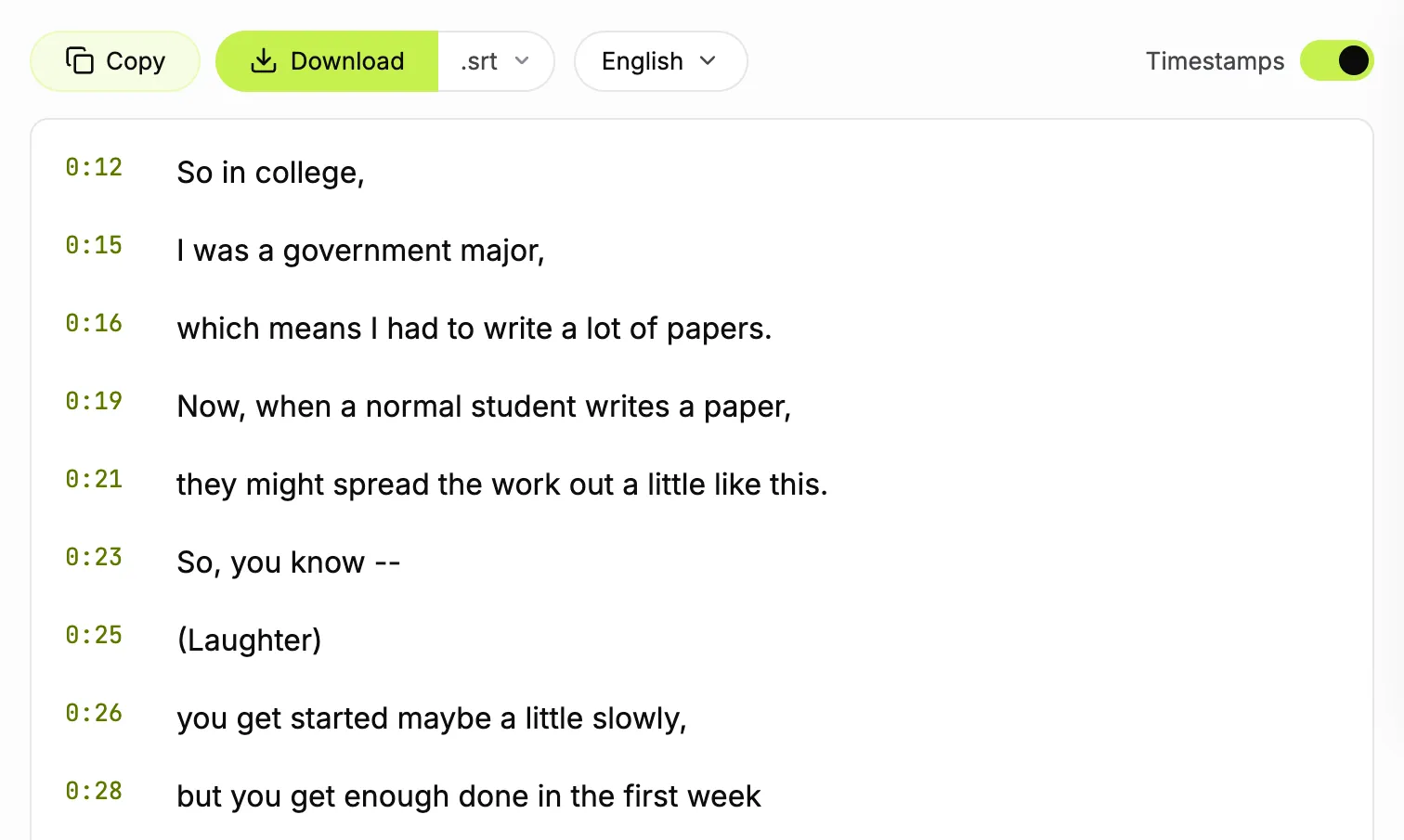
Our tool reads a public video's existing caption track from its link: copy the captions as text or save a .txt or .srt file. It uploads nothing to YouTube and has no speech recognition: no captions, no text.
Copy the text of your video's captions
Paste your video's link and copy its captions as text, timestamps on or off. Free, no sign-up.
When adding a transcript does not work
Auto-sync timings are off
The language may be unsupported, the text may not match the speech, or the video is long or noisy. Fix lines in Studio or upload a timed file.
YouTube rejects the subtitle file
Use a format from the table; re-save .srt and .sbv as plain UTF-8 without formatting tags.
Automatic captions never appear
Processing may be unfinished, or the language, length or sound defeats speech recognition. Upload your own file.
Viewers do not see Show transcript
Make sure the track is published. Otherwise see what else hides the panel.
Why add a transcript to your videos
Captions open a video to deaf and hard-of-hearing viewers and to speakers of other languages, and any line in the panel jumps to its moment. YouTube promises no ranking boost: caption for your viewers.
How to add transcript to YouTube video: FAQ
Can I add a transcript after the video is published?
Yes. Open YouTube Studio → Subtitles, pick the video and add a language at any time, even years later.
Can I upload a plain text transcript to YouTube?
Yes. Use Upload file → Without timing or Auto-sync, and YouTube sets the timings. Save plain .txt in UTF-8, in the spoken language.
Can TranscriptYou add a transcript to my YouTube video?
No. It uploads nothing to YouTube and does not recognize speech. It reads a video's existing captions as text or an .srt file for editing outside Studio.
What is the difference between a transcript and captions?
One is untimed text of what is said; captions are timed text on the video, and closed captions also describe sounds. YouTube builds its text panel from captions.
How long does YouTube auto-sync take?
YouTube says a few minutes, then publishes the synced track automatically.
Can someone else add captions to my channel?
Yes. In YouTube Studio, open Settings → Permissions, click INVITE and pick the Subtitle editor role (not available to Brand Accounts).
Can I add a transcript from my phone?
YouTube documents this only in YouTube Studio on a computer, not in the Studio app. Text drawn in a phone editor is part of the picture, not captions.
How do I edit or remove a transcript on YouTube?
In Studio → Subtitles → the video, click Edit next to the language, fix it and click Publish. To remove a track: Options → Delete.
Convert a YouTube video to SRT
Paste a link and save the subtitle track as an .srt file with the original timings. Free, no sign-up.
Sources
- YouTube Help: Add subtitles and captions
- YouTube Help: Supported subtitle and closed caption files
- YouTube Help: Create subtitles and captions from a transcript (auto-sync)
- YouTube Help: Edit or remove captions
- YouTube Help: Use automatic captioning
- YouTube Help: Translation and transcription glossary
- YouTube Help: View a video transcript
- YouTube Help: Add or get Subtitle Editor access in YouTube Studio
- YouTube Help: Channel permissions and roles
- GoTranscript: Fixing overlapping timecodes in YouTube auto-generated captions