What YouTube chapters are and how viewers use them
A chapter is a titled part of a video with its own start time. On YouTube, the video-sharing platform owned by Google, chapters come from a timestamp list in the description or from YouTube itself. They are not captions: you do not need to add captions or a transcript first.
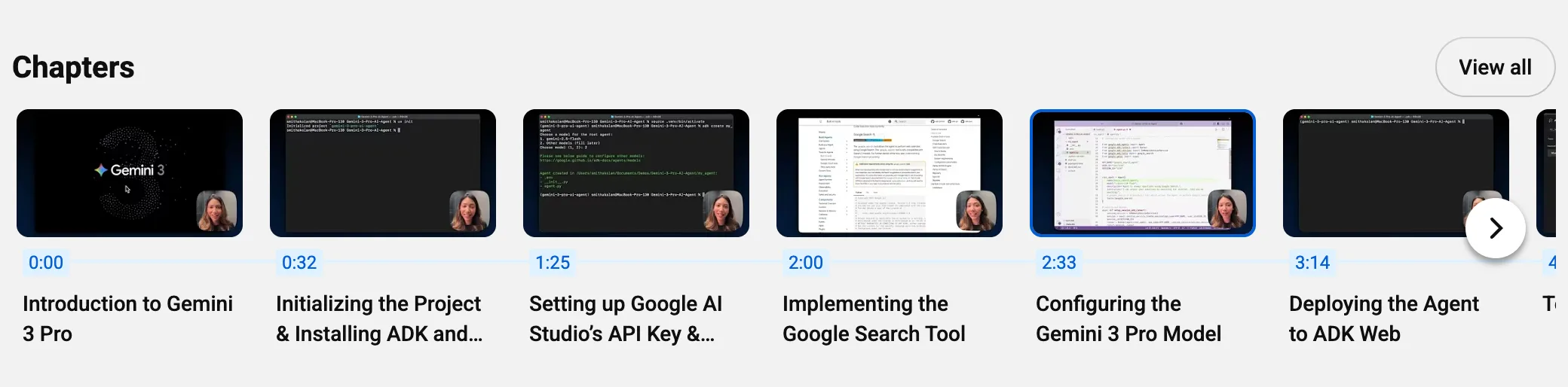
YouTube Help says chapters may appear in the transcripts (open the transcript panel). Google Search can show key moments: it detects video segments on its own and prioritizes timestamps and labels from the YouTube description. Here is how to use YouTube chapters as a viewer.
On a computer
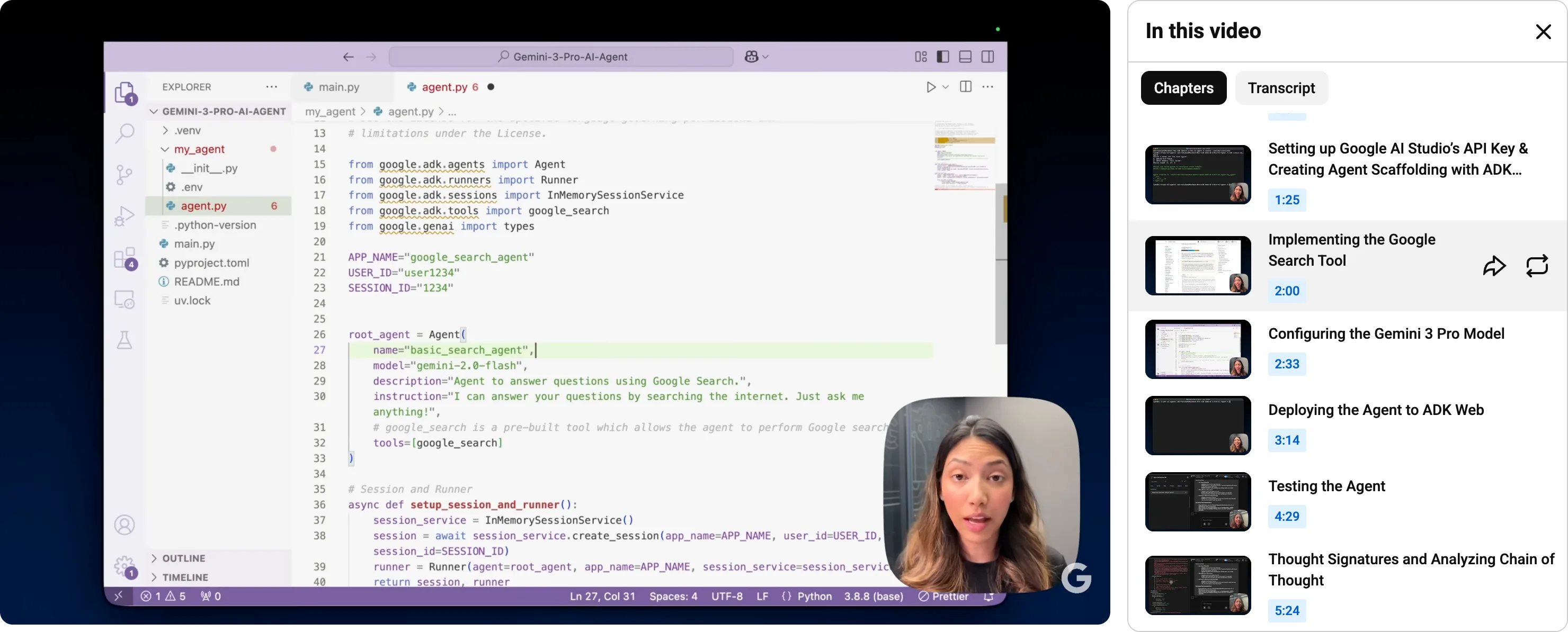
This is how to see chapters on YouTube in a browser: hover over the progress bar, and the preview shows the title of the part under the cursor. Click the title next to the time to open the In this video panel with every part. Ctrl with the left or right arrow (Option on a Mac) jumps to the previous or next chapter.
On a phone
In the YouTube app, vertical lines on the progress bar mark the parts, and the chapter title above the bar changes as playback moves on. Select it to pick another part, or scroll to the bottom of the description, per YouTube Help for Android.
How to add chapters to a YouTube video
Here is how to add chapters to YouTube video descriptions in YouTube Studio, following YouTube Help. The description of a published video can be edited at any time.
-
Open the video details
In YouTube Studio, choose Content and click the video. For a new upload, use the Description field on the Details step. Working in the YouTube app? See adding timestamps from your phone and other timestamp types.
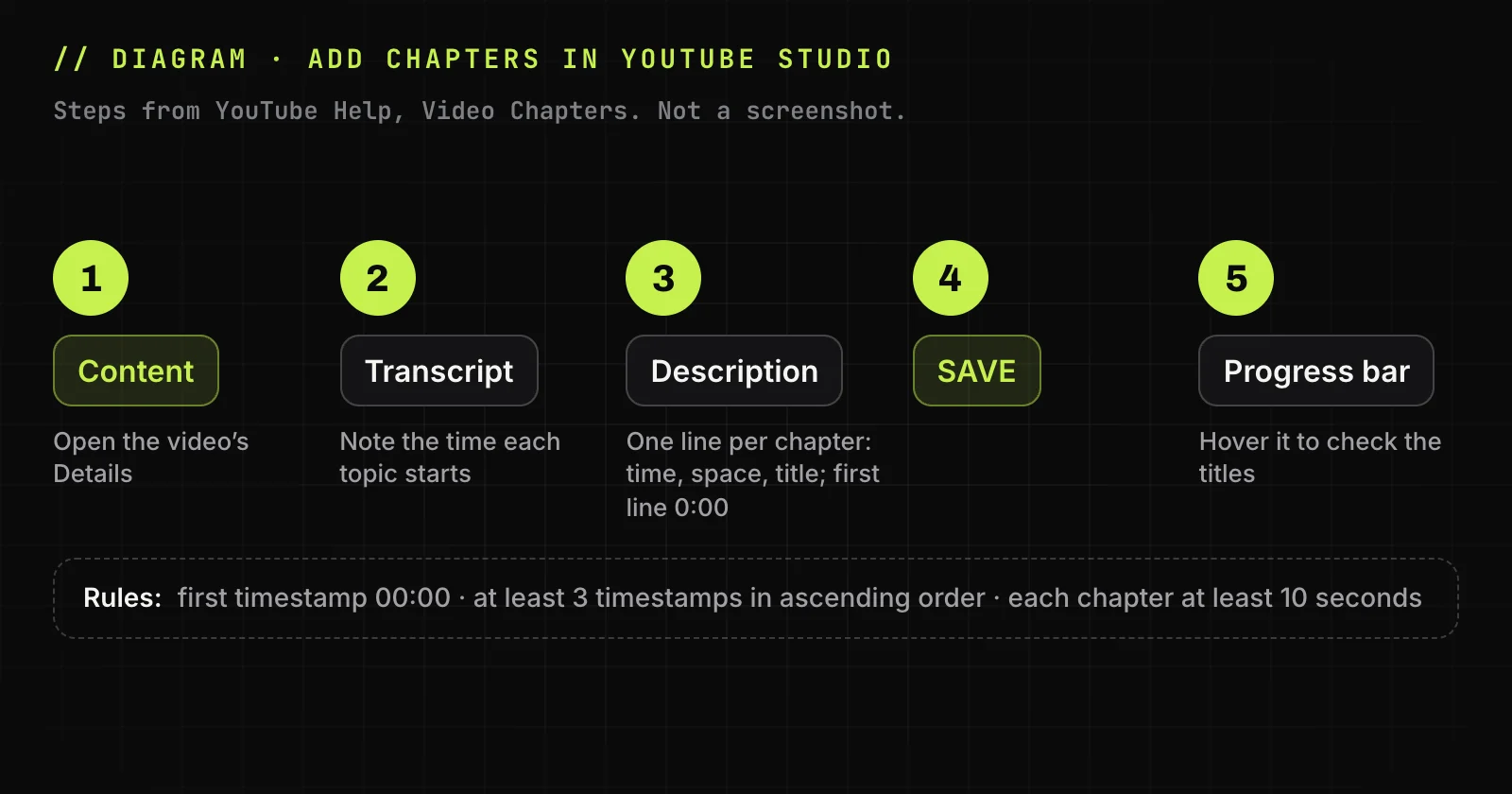
Illustration: adding chapters in YouTube Studio, from YouTube Help -
Find where each topic starts
Open a timestamped transcript in TranscriptYou with Timestamps on and note where the speaker moves on. For the time of every caption line in a file, export the captions as SRT.
-
Type one line per chapter
Write the time, a space and the title on each line, starting with
0:00 Introduction. -
Save
Click Save.
-
Check the progress bar
Hover over the bar on the watch page; in the screenshot, 3:24 shows the part Wrap up. If nothing changes, wait and refresh.
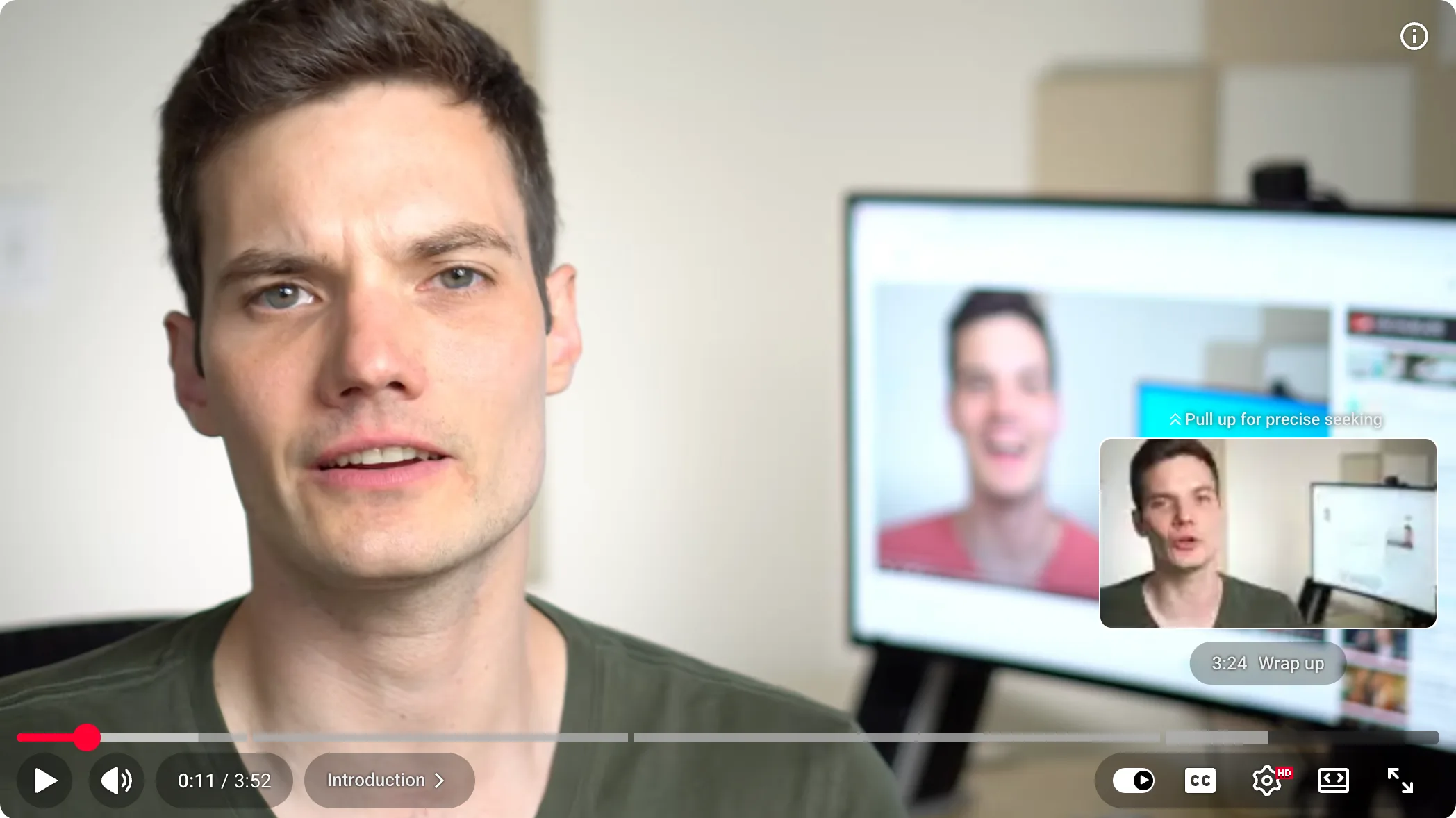
Screenshot: YouTube, Kevin Stratvert (captured November 6, 2026)
YouTube chapter format rules
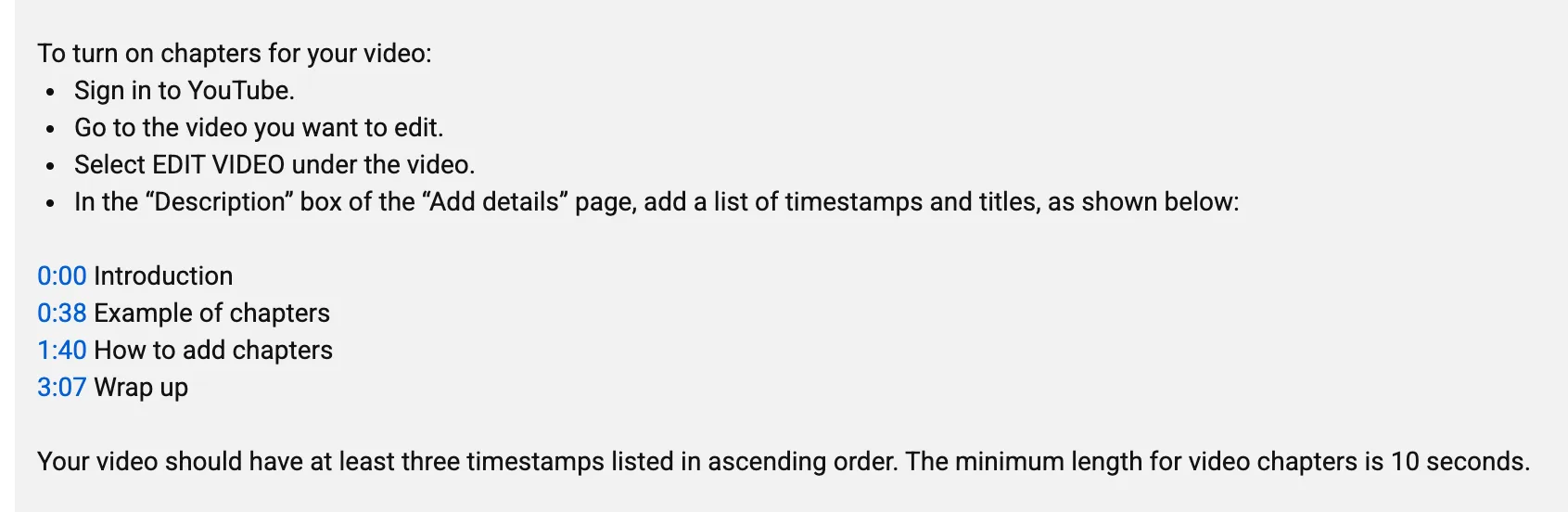
Each line is a timecode, minutes and seconds such as 1:32, then a space and the title. YouTube Help adds three rules: the first timestamp is 0:00, there are at least three in ascending order, and each part lasts 10 seconds or more, the last one included. Below, four lines give four YouTube chapter markers.
Find where each chapter starts
Paste your video link, keep Timestamps on and copy the time where each topic begins. Free, no sign-up.
Automatic chapters vs manual chapters
| Question | Automatic | Manual |
|---|---|---|
| Who writes the titles | YouTube | You, in the description |
| Which videos get them | Some eligible videos | Channels with advanced features |
| Effort | None, on by default | You write the list |
| Control over start times | None | To the second |
| If both exist | Replaced | Your list overrides the automatic split |
Write your own list when exact starts matter, as in tutorials; otherwise the automatic split may do.
Turn automatic chapters on or off
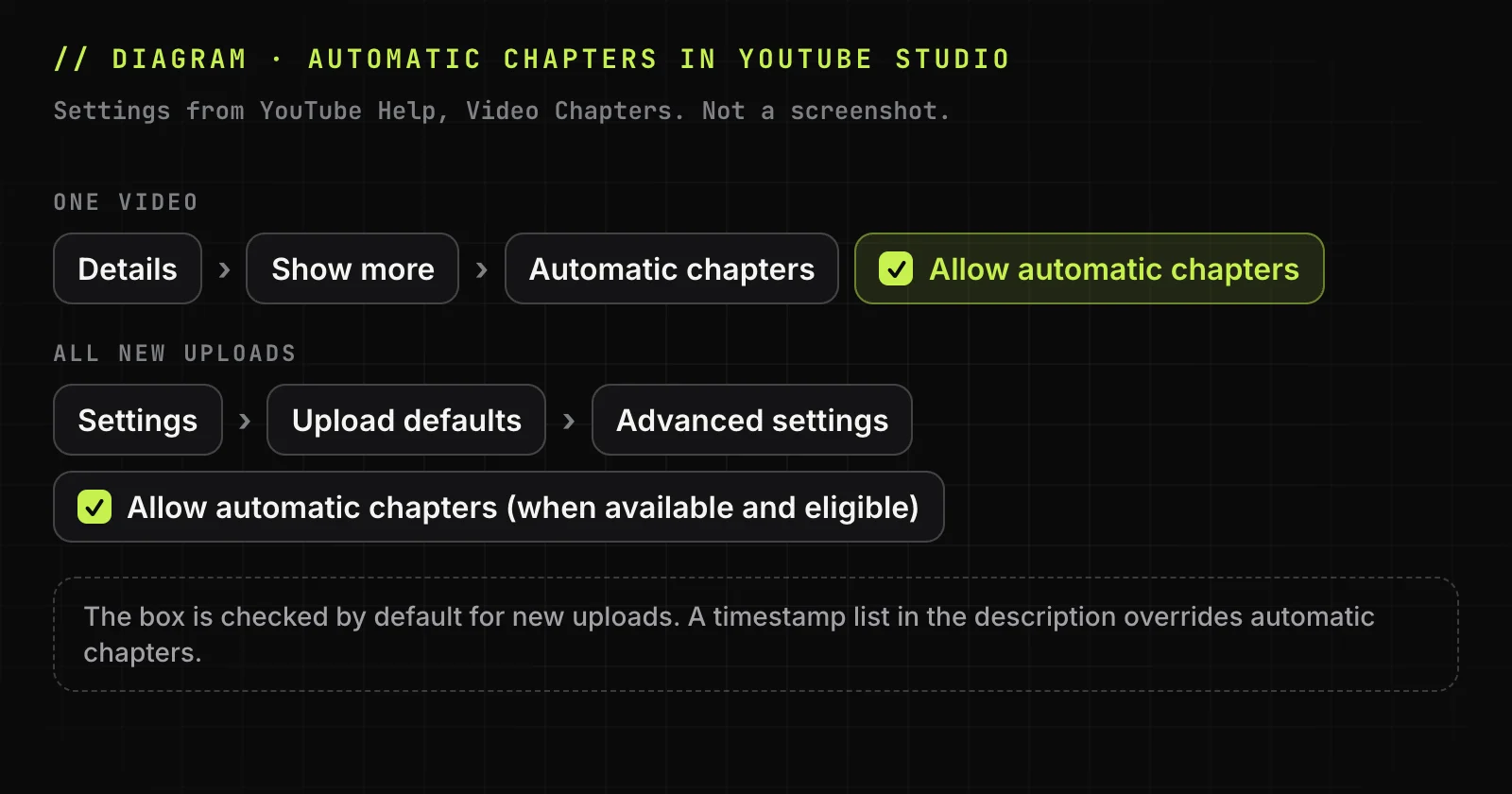
For one video, open its details in YouTube Studio, click Show more ‣ Automatic Chapters and tick or untick Allow automatic chapters, ticked by default for new uploads. For future uploads, change the same checkbox in Settings ‣ Upload defaults ‣ Advanced settings.
How to plan and name YouTube chapters
Which videos need chapters
YouTube video chapters help most in tutorials, lessons, podcasts, interviews and recorded meetings or services. Clips under about three minutes and music videos rarely need them; that is our advice, not a YouTube rule.
Chapter titles that people click
Name what happens in the part, in words a viewer would search for, short and without keyword stuffing. Right column: the creator's titles from the tutorial in our screenshots:
| Weak title | Better title |
|---|---|
0:32 Part 1 |
0:32 Initializing the Project |
2:00 Search |
2:00 Implementing the Google Search Tool |
2:33 Settings |
2:33 Configuring the Gemini 3 Pro Model |
4:29 Demo |
4:29 Testing the Agent |
Check chapters against audience retention
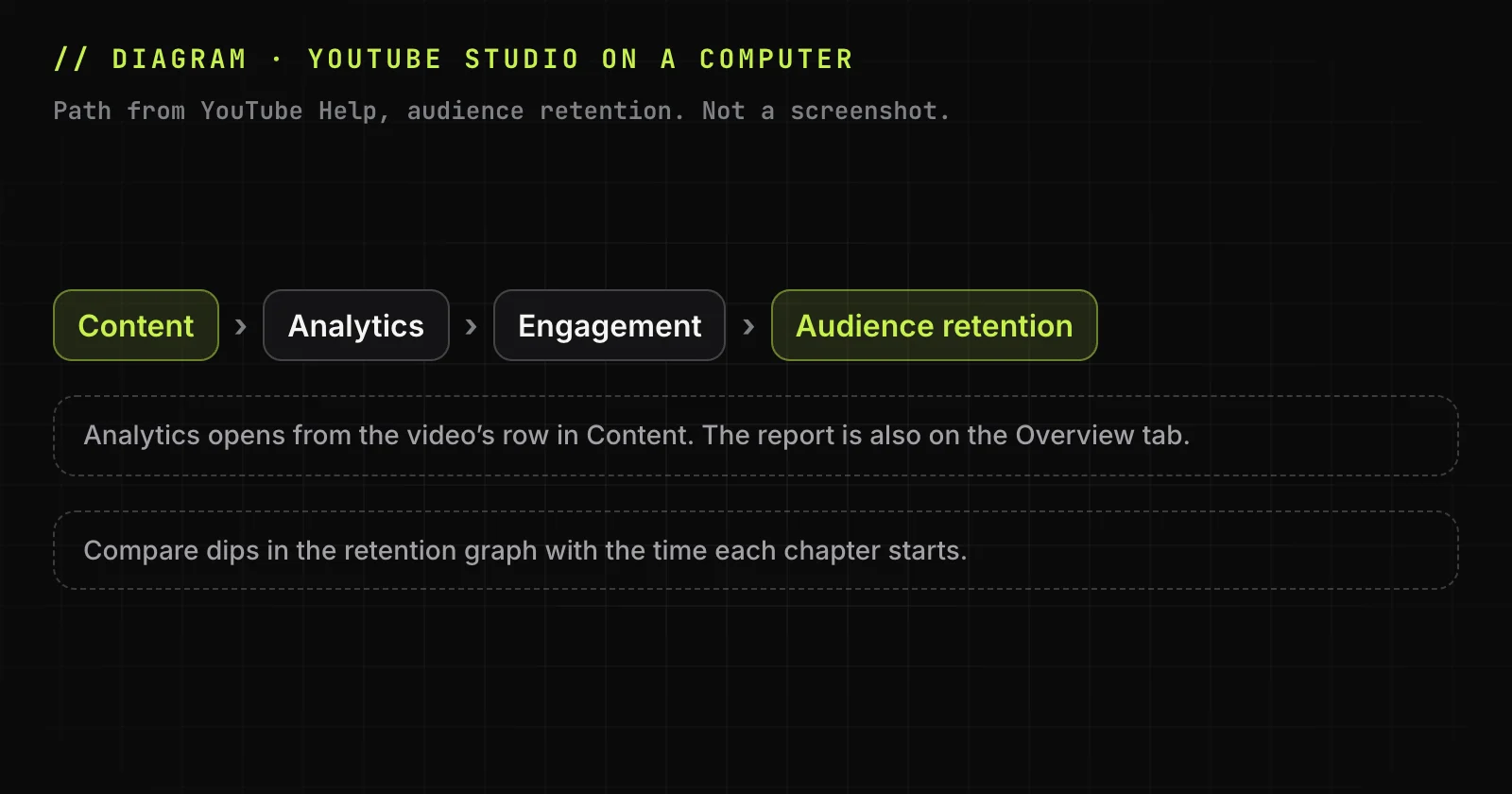
Audience retention shows where viewers stop watching. In YouTube Studio, open Content, select Analytics on the video, then Engagement. Compare drops in the graph with your start times: a part many viewers leave may need a clearer title.
Turn a transcript into a chapter list
Scan the timestamped transcript, mark where topics change and paste the times into your description.
Why YouTube chapters are not showing
Nine causes, each with its fix:
- The first line is not 0:00, or text comes before the time: start with
0:00and put the time first. - Fewer than three timestamps: add more.
- A part under 10 seconds, the last one included: merge it with an adjacent part.
- Times out of order: sort them.
- A dot or comma instead of a colon: write
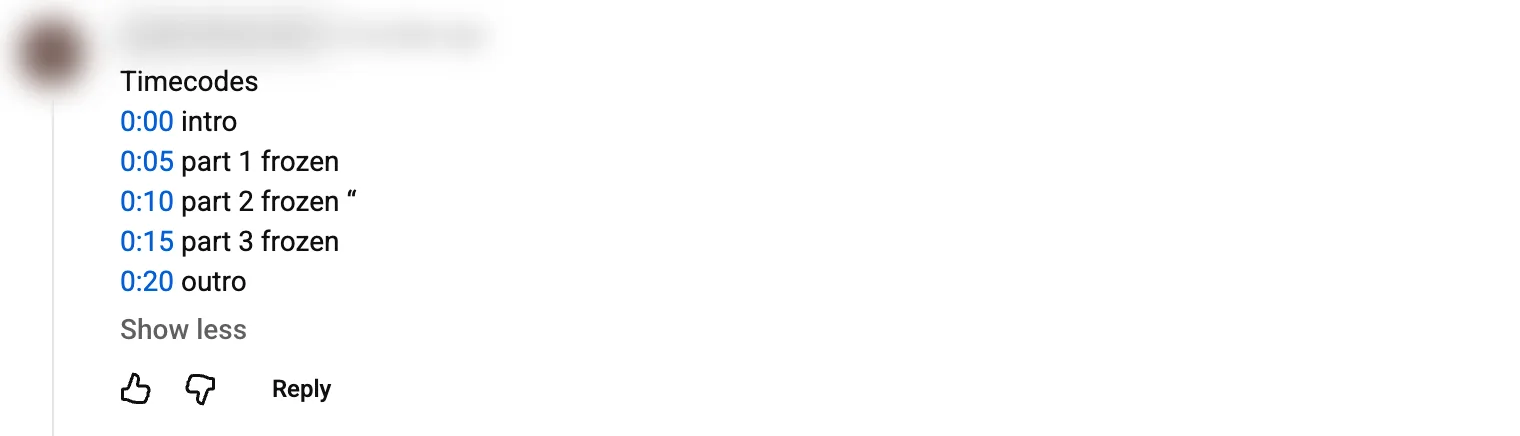
1:32, not1.32. - The list is in a comment: even a pinned comment does not split the video; move the list to the description.
- No access to advanced features: check Settings ‣ Channel ‣ Feature eligibility; access needs channel history or ID verification.
- Active strikes or possibly inappropriate content: then the feature is not available, says YouTube Help.
- The change has not shown yet: wait and refresh the page.
YouTube chapters FAQ
Can I turn off chapters on YouTube?
Yes, on your own videos. To remove a manual list, delete the timestamps from the description and save. To stop the automatic split, untick Allow automatic chapters for the video, or in Upload defaults for future uploads. Both changes are made in YouTube Studio.
Can I add chapters to a video I already published?
Yes. The description of a published video can be edited at any time in YouTube Studio, so paste the timestamp list, keep the first line at 0:00 and save. The progress bar splits into parts once YouTube picks up the change, which can take a little while.
Can I add chapters to someone else's YouTube video?
No. Only the owner, or a manager or editor with channel permissions, can change the description. As a viewer, you can leave a timestamp in a comment: the time becomes a link to that moment for everyone, but it does not split the video.
Can I add chapters from my phone?
Yes. In the YouTube Studio app, tap Content, select the video, tap Edit, paste the list into the description and tap Save. The regular YouTube app edits the description too, from Your videos and More next to the video. A long list is easier to prepare on a computer.
Do YouTube chapters help SEO?
YouTube has not confirmed a direct effect on rankings, the core of search engine optimization (SEO). A titled list helps viewers find the part they need, and Google Search may show key moments for a video: it detects segments on its own and prioritizes timestamps and labels set in the YouTube description.
Get the transcript of a YouTube video
If the video has captions, paste its link and get the full text with timestamps. Copy it or save it as .txt or .srt. Free, no sign-up.
Sources
- YouTube Help: Video Chapters
- YouTube Help: Use chapters, mentioned people and places, & seeking features
- YouTube Help: Keyboard shortcuts for YouTube
- YouTube Help: Measure key moments for audience retention
- YouTube Help: Learn about feature access for YouTube Creators
- YouTube Help: Edit video settings
- YouTube Help: Add or remove access to your YouTube channel with channel permissions
- Google Search Central: Video SEO best practices